Open topic with navigation
BMEcat Format
Both BMEcat (version 1.2) and BMEcat 2005 are supported in STEP and use an XML-based standard for electronic data transfer by electronic catalogs. For more information about the standard, search the web.
For more information on BMEcat 2005, see the BMEcat 2005 Format documentation here.
Format Availability
BMEcat is available for selection in:
- IIEP - see Creating an Inbound Integration Endpoint here
- Import Manager - see Creating a Data Import here
- Export Manager - see Creating a Data Export here
- OIEP - see Creating an Outbound Integration Endpoint here
Mapping
This format requires creating a data map between STEP and the data being processed, and may also include data transformations. For details, see Data Mapping here.
BMEcat 1.2 and BMEcat 2005 are the only formats that allow access to Product Attribute Link metadata attributes, via the transformation aspect 'Closest Attribute Link Meta Data.' For details, see Aspect - Transform Outbound here.
If mapping an ETIM file to the BMEcat2005 format, see the LOV Value-ID or Value Aspect topic here.
Inbound Data
Inbound Parameters
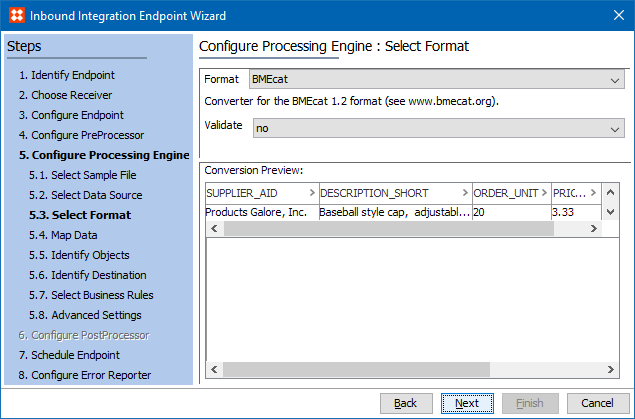
- Validate determines if STEP checks the validity of the BMEcat file against a BMEcat DTD file before loading any data.
- Conversion Preview displays data being imported when the BMEcat DTD file is in the system., otherwise the field is empty.
Import Manager
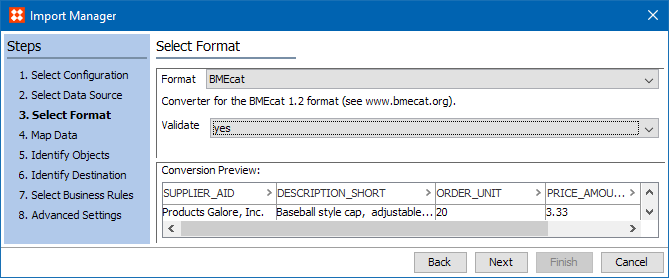
IIEP
Outbound Data
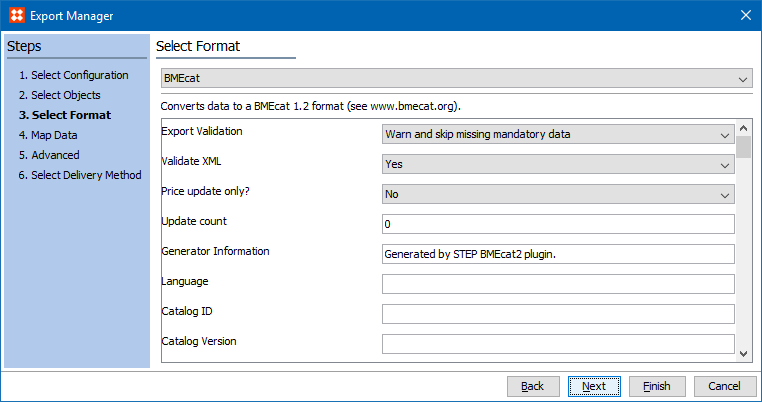
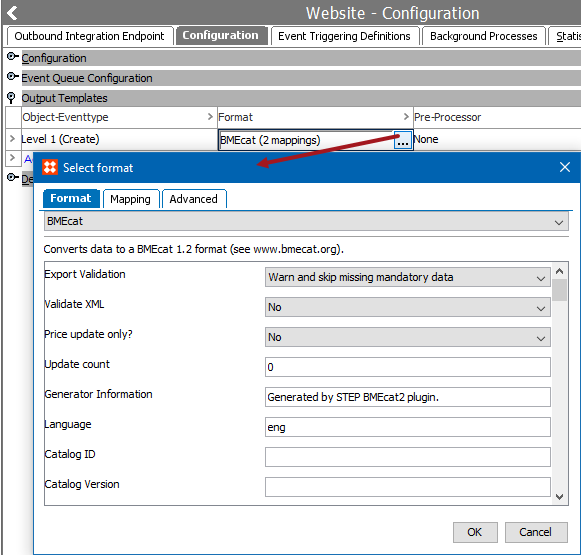
Exporting the BMEcat format involves supplying header data and catalog / product data via the parameters displayed on the Select Format step and during the Map Data step. Some information is required, as is indicated on the Map Data step. Although the export process can be run while mandatory fields are missing, the background process (BGP) will fail.
Outbound Parameters
- For the Export Validate parameter, select an option from the dropdown to determine how mandatory fields (marked in red on the Map Data step) are handled during export:
- Warn and skip missing mandatory data - When a value is missing, the product is not exported and the execution report includes the warning 'Skipping product ([ID] / [Name]) missing mandatory data: xxxx.'
- Warn and allow missing mandatory data - When a value is missing, the product is exported minus the missing mandatory data, and the execution report includes the warning 'Found product ([ID] / [Name]) missing mandatory data: xxxx.'
- Abort on missing mandatory data - When a value is missing, the export fails and the execution report includes 'Aborting export due to product ([ID] / [Name]) missing mandatory data: xxxx' and the time of the failure.
- For the Validate XML parameter, Yes indicates that the BMEcat 1.2 export file is validated against the BMEcat DTD included in STEP. When validation fails, the BGP also fails, and the problem is reported in the BGP execution report. If set to No, validation is skipped, and the BGP does not fail due to differences found compared to the DTD.
- For the Price update only? parameter, No indicates that the catalog section of the file is included. If set to No, the catalog section is excluded and only fields related to prices are exported.
- For the Update count parameter, allows you to track the version number displayed in the tag with the 'prev_version' XML attribute within the file. This parameter must be manually incremented as needed.
- For an explanation of the remaining parameters, search the web to find and refer to the 'Specification BMEcat® Version 1.2' document. No validation is performed on the text entered or the selections made, but if Validate XML = Yes, errors will be reported in the execution report, as defined above.
Export Manager
OIEP
2019, Stibo Systems – Confidential