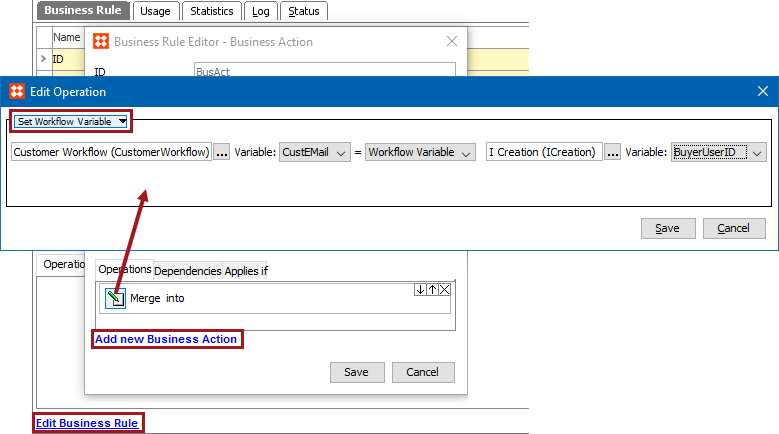
This operation can copy a static value, an attribute value, or a workflow variable value, to a workflow variable value.
For example, a group of five users have access to a workflow, and can submit a product from the Edit state to the Review state. There requirement is to identify which of these users submitted a particular product. This action is added to a business rule to save the details to an attribute. The business action is set on the desired state in the State Editor on the 'On Exit' tab.
Prerequisites
Before using this operation:
Configuration
 ) to display the Select Workflow dialog. Use search or browse to select the workflow, then click the Select button. The selected workflow must have variables.
 Select the source attribute by typing into the field on the right to use the auto-complete search functionality, or click the ellipsis button () to display the Select Attribute dialog. Use search or browse to select the attribute, then click the Select button.

Select the source workflow by typing into the field on the right to use the auto-complete search functionality, or click the ellipsis button () to display the Select Workflow dialog. Use search or browse to select the workflow, then click the Select button.
Use the Variable dropdown to select the variable that holds the value used to update the target attribute value.

Set the source value by typing into the field on the right. This text will be used to update the target value.

2019, Stibo Systems – Confidential