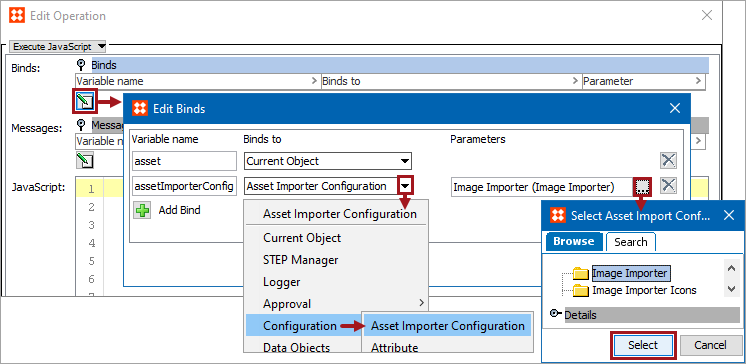
The Asset Importer Configuration bind is used to create / update asset content with new file content using an Asset Importer Configuration. The bind can be found within the 'Binds to' dropdown, as shown below.
Configuration
To use any bind:
Example
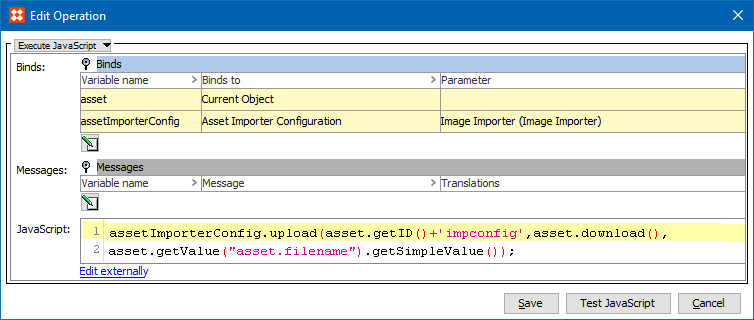
The following is example JavaScript that uses this bind.
Important: The example scripts should not be used as-is without thorough testing, including updating the script to match object and link types that exist on your system.
In the example below, the existing asset is updated via the Asset Importer Configuration so that the asset will be passed through all the steps of asset import configuration.
assetImporterConfig.upload(asset.getID()+'impconfig',asset.download(), asset.getValue("asset.filename").getSimpleValue());
2018, Stibo Systems – Confidential