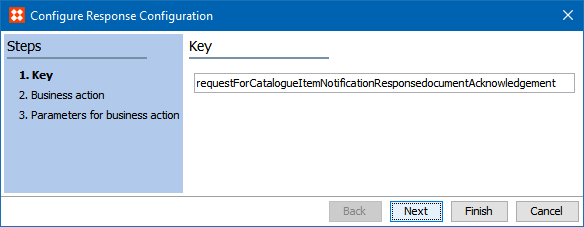
In the Message response configuration area, specify how GDSN responses from the GDSN data pool are handled by the GDSN receiver. This is, for example, responses to subscription requests (CIS message) or responses to catalog item confirmation (CIC) requests.
Configure the key of the format. The key is used with the "Message Type" XPath parameter to identify the response configuration to be used when a GDSN response message is received.
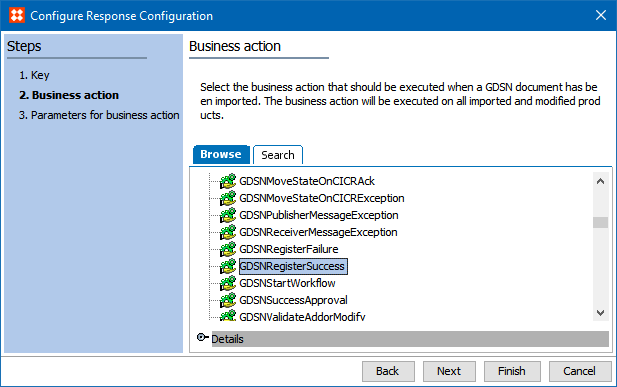
Select the business action that is executed when a response message is received.
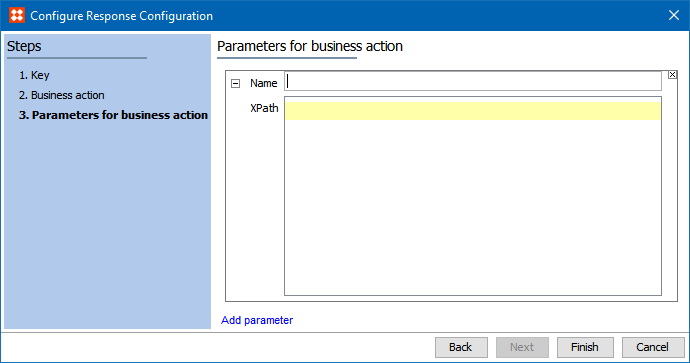
Configure the parameters used by the business action that you specified in the previous step. To add new parameters, click the Add parameter link. The parameters can extract additional data from the document XML if required by the business action.
In Name field, enter a name that is used to identify the parameter. The XPath is used to find the information needed in the XML document.
Use the JavaScript plugin and bind in the GDSN Data Map for the business action. The data can now be found using the parameter name.
2018, Stibo Systems – Confidential