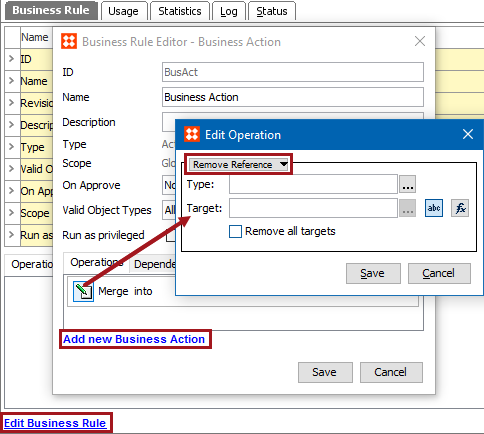
This action removes a reference to a specific target or all references of a specific type.
For example, the ‘free_objects’ reference type is used to indicate a seasonal sales offer items. When the sale period has ended, removal of all ‘free_objects’ references must be removed. This can be achieved by creating a collection of all nodes that include the reference, and then running a bulk update with the Remove Reference business action.
Prerequisites
Before using this action:
Configuration
 ) to display the Select Reference Type dialog, choose the reference type that should be removed and click the Select button.
 ), click the ellipsis button () to display the Select Reference Target picker, select a valid target, and click the Select button.
 ), click the ellipsis button () to display the Function Editor dialog, write a calculation to select a valid target, and click the Select button. For more information, see the Using Function Editor topic in the Resource Materials online help here.
2018, Stibo Systems – Confidential