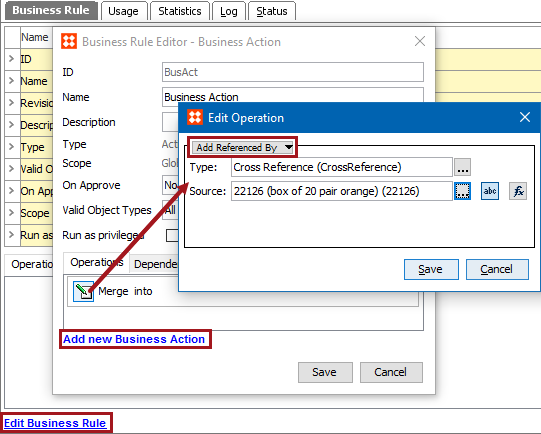
This action can create a reference to an object with a specific source and a type. This allows you to add an entry on the Referenced By tab of the editor for the selected object.
For example, a business action can be used to add an object as the source to an image using a specified reference type.
Prerequisites
Before using this action:
Configuration
 ) to display the Select Reference Type dialog, select a reference type, and click the Select button.
 ), click the ellipsis button () to display the Select Reference Source dialog, select a valid source, and click the Select button.
 ), click the ellipsis button () to display the Function Editor dialog, write a calculation to select a valid source, and click the Select button. For more information, see the Using Function Editor topic in the Resource Materials online help here.
2018, Stibo Systems – Confidential