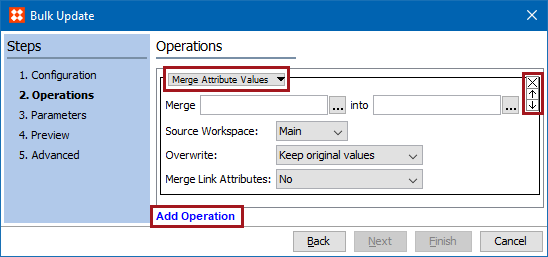
Specify the operations the bulk update should perform on the selected objects. When an existing configuration is selected, all saved operations are displayed.
 ) to remove an operation.
 ) to change the order of the operations applied to the update.
Important: Ensure that the operations are listed in the order that they need to be performed—from the top down. This means that when multiple operations are included, those run first can be overwritten by operations that run later. If one operation fails for an object (for example, due to validation base type mismatch), all changes to the object will be rolled back and the object will be left as if was prior to applying the Bulk Update.
2018, Stibo Systems – Confidential