The Suppress Rows/Columns transformation suppresses a row or a column if a value in the selected column or row matches a specified string of text.
The instructions in this topic assume that you have already added the transformation to your table by following the instructions in the Add a Transformation to a Table or Table Type subsection of the Table Transformations topic here.
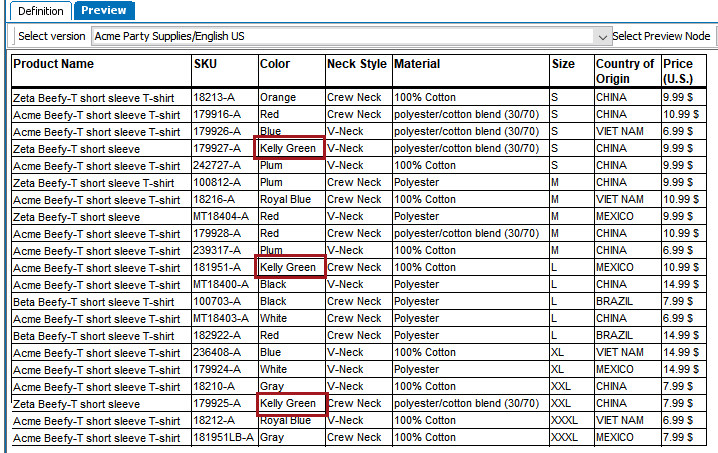
In the following example, any rows that contain the Color value of Kelly Green will be suppressed. A sample use case could be that this color is only available for spring, but the summer catalog is about to publish. So, shirts of this color will be suppressed in the table so they do not appear in the summer catalog. They can be unsuppressed later for next spring's catalog.
Before
This is how the table appears before the suppression of the Kelly Green shirt rows.
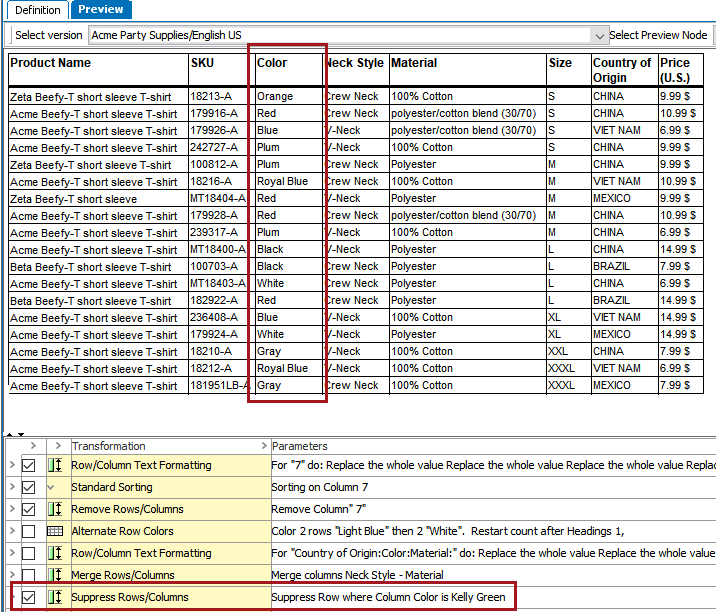
After
This is how the table appears after. The Kelly Green T-Shirts no longer appear.

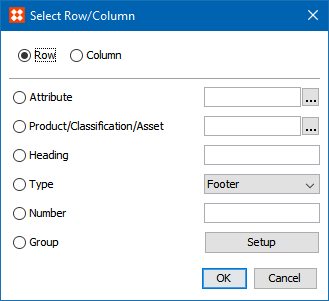
The options available in this dialog have already been explained in the Row/Column Text Formatting section of the Formatting Transformations topic (here); refer to that topic for more information.
2018, Stibo Systems