The Remove Rows/Columns transformation enables you to remove specified rows and/or columns from the table, whether or not they are empty. For example, when you want to remove an unused row or column from the table, then this transformation can be used.
The instructions in this topic assume that you have already added the transformation to your table by following the instructions in the Add a Transformation to a Table or Table Type subsection of the Table Transformations topic here.
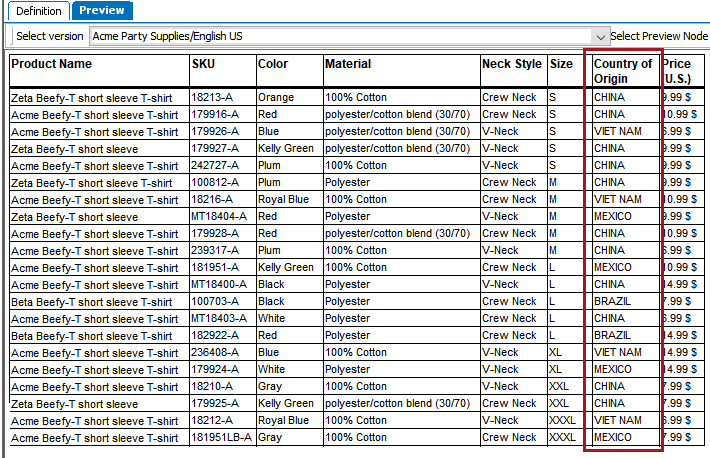
Before
Before the transformation is applied, the 'Country of Origin' column is present.
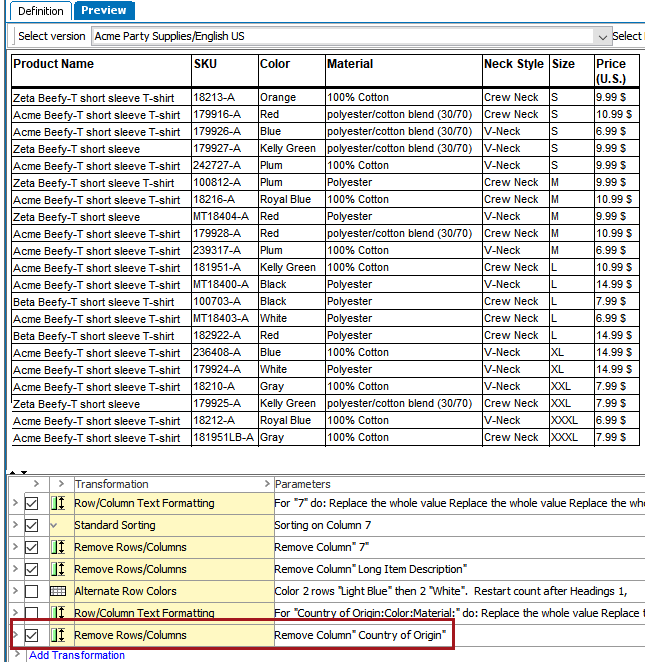
After
After applying the transformation, the 'Country of Origin' column is gone.
See the Sorting Transformation topic here for a more complex example which incorporates both a sorting transformation and a row removal transformation.

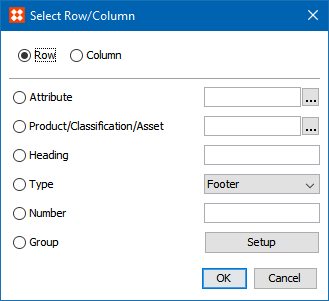
The options available in this dialog have already been explained in the Row/Column Text Formatting section of the Formatting Transformations topic (here); refer to that topic for more information.
2018, Stibo Systems