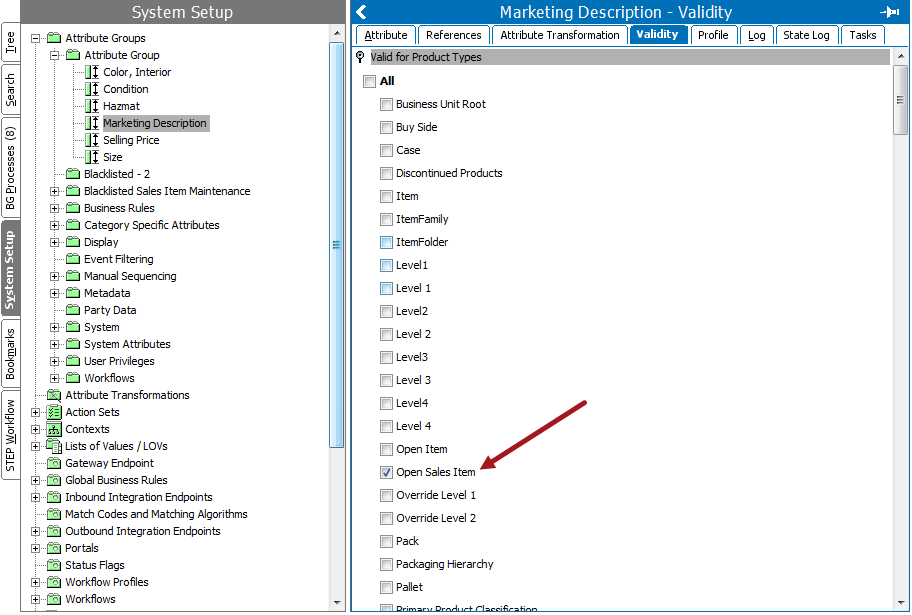
To set the Validity for Specification Attributes, navigate to System Setup, click on Attribute Groups, and then the Attribute tab.
Specification attributes can only be made valid for:
Setting validity for a specification attribute means specifying the product object types that can use the attribute.
The Attribute editor appears.
The available product object types appear.
Note: The number of available object types depends on whether the attribute is a specification or description attribute.
The attribute will now be available for the selected product object type(s).
Even if an attribute is not valid for a certain object type, it is possible to link it.
Note: To make a specification attribute available and editable on a product, the attribute should be made valid on the product object type. It should be linked to the product, the product hierarchy, and classification hierarchy where the product is present under.
2018, Stibo Systems