Open topic with navigation
Data Containers Operations for Bulk Updates
The options for Data Containers operations are below:
Update Data Containers
This operation allows users to run business actions on selected data container objects. When executing this operation, users can filter which data container objects to work with by specifying a business condition and/or data container type, before running the specified business action on those objects.
- Run a search for data containers based on the desired criteria, and run the bulk update by clicking the Bulk Update icon.
- On the 'Operations' step of the wizard, click Add Operation, and select Data Containers > Update Data Containers.
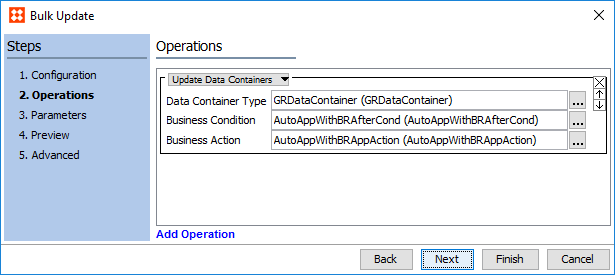
- In the Data Container Type parameter, click the ellipsis button (…) and select the data container type this operation should apply to. This is an optional selection.
- In the Business Condition parameter, click the ellipsis button (…) and select a business condition to filter eligible data container objects further. This is an optional selection.
- In the Business Action parameter, click the ellipsis button (…) and select a business action to apply to the data container objects upon execution of the bulk update. This is a required parameter.
2018, Stibo Systems