Open topic with navigation
Attribute Metadata on Attributes
There are occasions when it will be necessary to add a metadata (Description) attribute to an attribute. For instance, you might need an attribute to describe what an attribute is used for, or to provide information about an attribute in the help text that appears in the Web UI. Creating and maintaining metadata attributes on attributes is similar to any other metadata attribute in every way except in defining the validity of the attribute. Follow these steps to make an attribute valid for another attribute.
Steps to Creating a Metadata Attribute on an Attribute
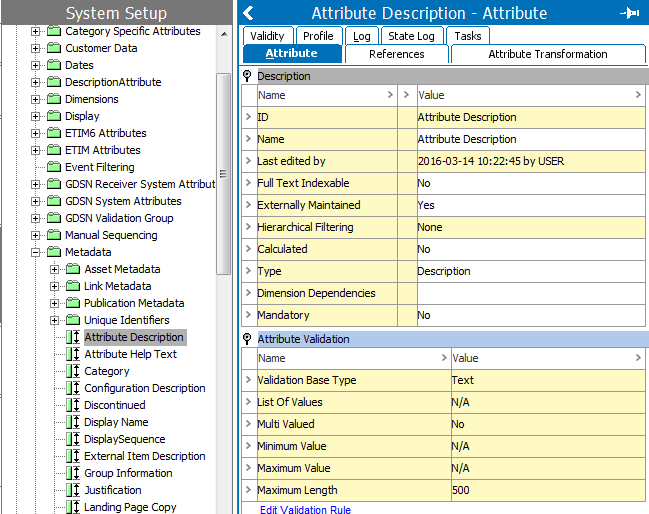
- Create the metadata (Description) attribute following the same procedure as you would to create any Description attribute. See Creating Attributes in the System Setup / STEP Super User documentation here for more information.
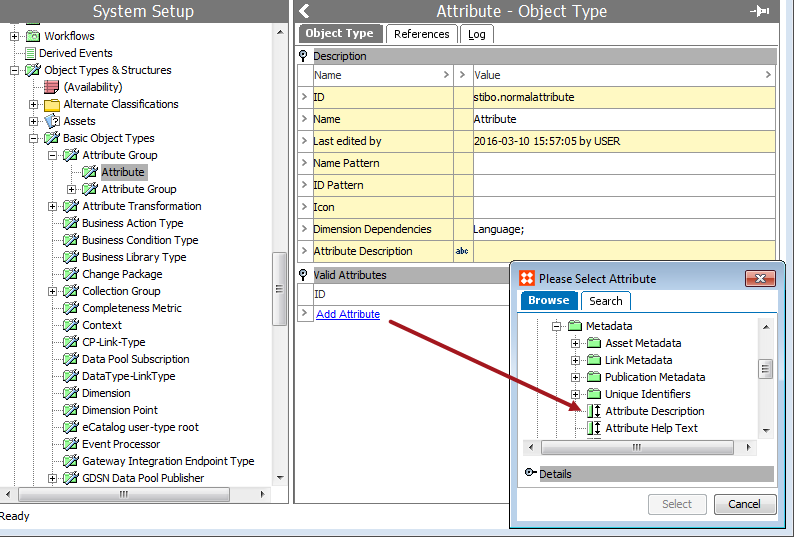
- After creating the metadata attribute, the attribute must be made valid for the Attribute object type. Navigate to the Attribute object type under System Setup > Basic Object Types > Attribute Group. Select the Attribute object type, then click Add Attribute. The Please Select Attribute dialog displays.
- In the Please Select Attribute dialog, browse to or search for the Description attribute that was just created, then click Select.
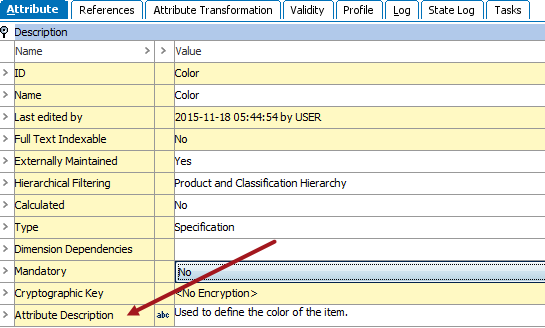
- The metadata attribute is now ready for use.
2017, Stibo Systems