eCl@ss® is a hierarchical classification and product description system for grouping materials, products, and services. This includes a logical structure with a level of detail that corresponds to product-specific attributes. These classifications and standardized attributes are an international standard and can be used for reliable information exchange between suppliers and their customers. For detailed information about eCl@ss, search the web.
When your STEP system includes the eCl@ss license, you can import the Basic CSV format for any language using versions 7.0, 7.1, 8.0, 8.1, 9.0, and 9.1. For more information on the eCl@ss license, contact your Stibo Systems account manager.
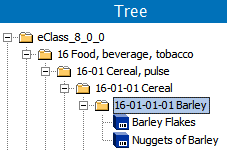
When an eCl@ss classification exists in STEP, you can make identification of your objects easier by using Bulk Update to add a 'product-to-classification link type' reference between your objects and the eCl@ss classification system. This displays your materials, products, and/or services within the eCl@ss folder as shown in the image below. For more information, see Bulk Updates documentation here.
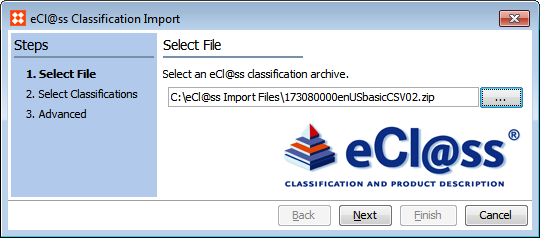
eCl@ss is available for selection only in the eCl@ss Classification Import wizard. For details, see eCl@ss Classification Import here.
There is no need to recreate attributes you already have in STEP to gain the benefits of using standard eCl@ss attributes. After importing an eCl@ss classification hierarchy, you can map each eCl@ss attribute to a STEP attribute to merge the attributes and delete the eCl@ss attribute. For details, see Map eCl@ss Attributes to STEP Attributes here.
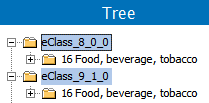
The eCl@ss classification data is delivered in a .ZIP file, where the file name indicates the version. The import wizard uses a background process to create classification folders that include the version number. This allows you to access multiple versions of eCl@ss simultaneously.
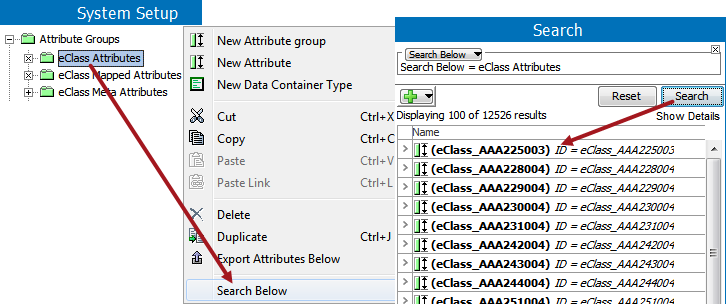
The import wizard also creates eCl@ss attributes, and saves all versions to the same attribute group. Depending on the number of classifications imported, System Setup may not allow browsing through the attributes created. However, you can view a portion of them, or find a particular one, using the right-click 'Search Below' functionality.
eCl@ss Classification Import
2017, Stibo Systems