Conditions can be validated live in Web UI while you enter data. This means you know immediately if a condition is not fulfilled. You can use conditions to filter List of Values so that it is not possible to select a value that violates the condition.
To configure a condition to be checked in Web UI, enter design mode. Click the Gear Wheel icon to enter design mode. You can add the condition on two levels. On Web UI level, the condition is checked on all screens in Web UI. On screen level, the condition is only checked on the current screen.
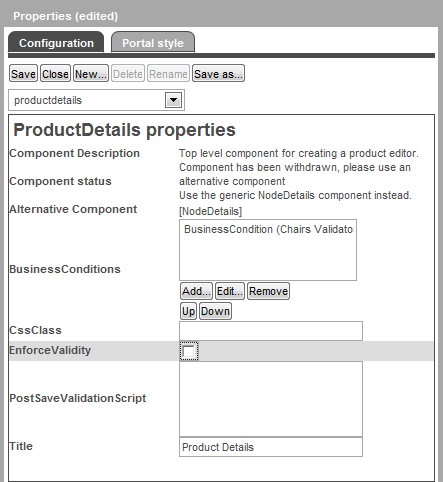
The following is an example that shows the configuration of a Web UI screen called ProductDetails. Here you can add, edit and remove conditions for this screen. A similar editor is available in Main properties.
When you click Edit, the following configuration dialog is displayed.
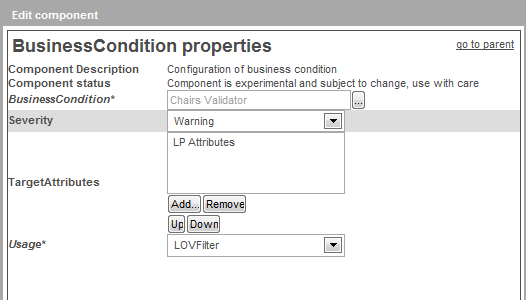
You have the following options.
Note: JavaScript conditions where the current object is bound in cannot be used in Web UI.
2017, Stibo Systems