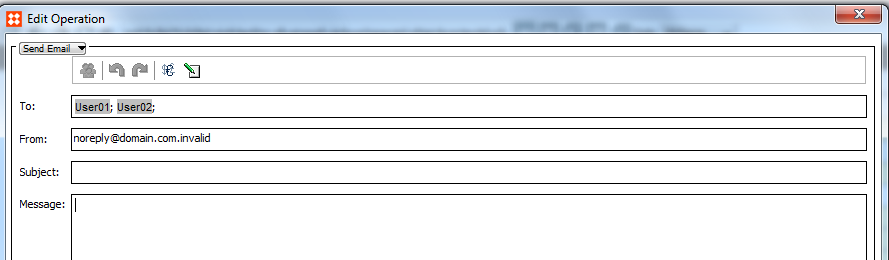
Sends emails to specified recipients.
In the To field, enter the relevant email addresses manually, or click the Add recipient icon  .
.
An attribute or a workflow variable can contain several email addresses if they are separated by semicolon (;), comma (,) or spaces.
The actual email addresses are resolved when the business action is run. You can specify any number of recipients.
The default From address is the default address specified in the system's configuration properties. You can change the from address to something else.
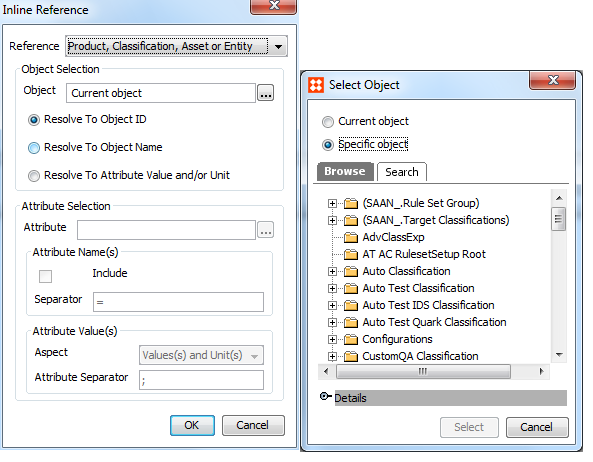
Click the Insert inline reference icon  to insert inline references to data, including object IDs and names, attributes and workflow variables.
For workflow variables, the object the business action is executed on must have been initiated in the specified workflow.
You can select the current object as well as other specific objects. The current object is the object the business action is executed on. This provides the recipient with information about which change caused the email to be sent.
It is possible to refer to data that may not be relevant for all executions of the business action.
In a message, you can edit an inline reference by right-clicking it and choosing Edit Inline Reference.
Addresses must have the following format.
user@domain.com
If an invalid email address is found when the action is executed, the action fails and results in an error. This happens, for example, if part of an address has been left out by mistake, or if an attribute contains an unexpected value. If an address is of the right format, typing errors are not detected.
If no recipient is specified or if no valid email address can be found for any of the specified recipients, an error occurs upon execution.
If an inline reference cannot be resolved during execution, it results in an error.
2017, Stibo Systems