Open topic with navigation
Business Action: Automatic Classification
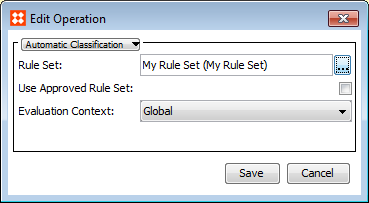
Classifies the selected objects automatically according to a set of rules. When the action has been set up, the objects that the action is applied to are automatically classified on approval.
- In Rule Set, click the ellipsis button (…), and then select the rule set you want to use.
- In Type of new Reference or Links, select the link type you want to use when linking products into classifications.
- In Evaluation Context, select the context that you want the rule conditions to be evaluated in.
For more information about automatic classification, see the Auto Classification documentation.
2017, Stibo Systems