End users interact with STEP in many languages. Though a workflow may be initially created in one language, end users may use a different language and would therefore prefer to see workflow state names and events in a different language. This is possible using the Localize State Names and Events options in the STEP Workflow Designer. With this functionality, workflow designers can create a single workflow that includes localized workflow state names and events, thus eliminating the need to maintain multiple workflows for localization purposes.
To localize workflow state names or events:
- From the System Setup tab, select the relevant workflow, right-click, and select Edit STEP Workflow.
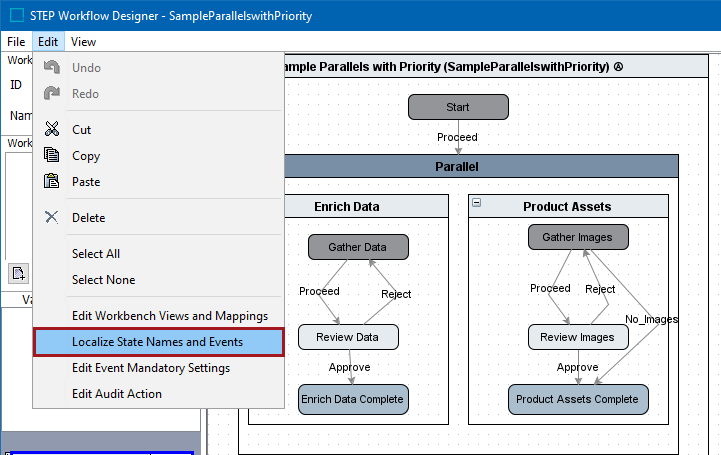
- From the Edit menu in the STEP Workflow Designer, select Localize State Names and Events.
- Enter the localized values for each state name and/or event.
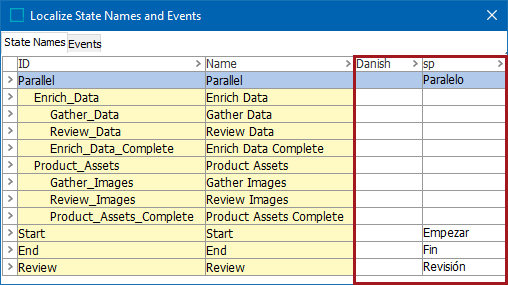
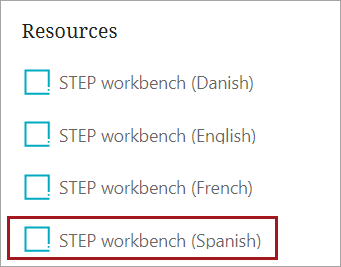
Note: The languages available for translation are determined by two things: Translated workbench instances and the locales available in the Web UI. Web UI locales are determined by the portal messages files in the PortalLocales folder. The PortalLocales folder can be found on the application server in the location specified by the Portal.Localizer.Folder property in the sharedconfig.properties file.
Localized values entered in the workflow designer appear when users access a workflow in the relevant locale-specific Web UI or in a translated instance of the STEP Workbench. Within the workbench, this includes but is not limited to: STEP Workflow tab, object Status and State Log tabs, and dropdown search options when using a STEP Workflow search criteria.
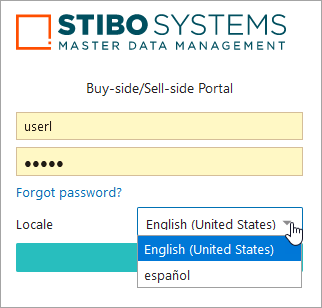
For example, a user logging in to the Spanish workbench or Web UI locale would see the corresponding localized values entered in the workflow designer.
Note: Changing the Context selection in the workbench does not have any impact on the display of localized state names or events.
Considerations and Limitations
- The name of the workflow itself is not translatable via this feature as this is driven by context. If the context being viewed employs a different language than the translated workbench instance or selected Web UI locale, this could result in an end user seeing the name of the workflow itself and the states and/or events within the workflow in different languages.
- Offline translation of state names and events via export / import is not supported. Exports of workflows with localized state names or events include the localized values and import to new systems will reflect the localizations. If an imported workflow contains more locales than the target system, only locales common to both systems are displayed. If a new locale is later added on the target system and localized values exist for it via previous import, the localized values will display. If an imported workflow contains fewer locales than the target system, translations on the target system that are existing will be deleted, since the imported workflow definition will be seen as the governing workflow.