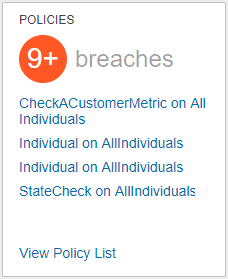
The Policy Widget is a Homepage widget that shows the breaches policies which are active in the system. The most recent breaches will be shown and clicking on these policies will link to the configured Policy Details screen.
Before using the Policy Widget, the Data Policy Web UI must be configured. For information how to set up the Web UI, see the Web UI Configurations for Policies topic of the Data Governance documentation here.
Adding a Policy Widget
The Policy Widget is pre-configured to show the breached policies.
To add a Policy Widget to the Web UI Homepage:
- Log in to the Web UI. User must have privileges to edit Web UI configurations.
- Click the design mode launch button found on the Homepage (in the user widget).
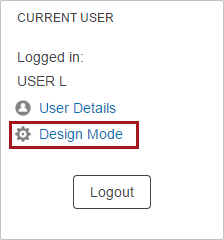
- If not automatically shown the Home Page Properties, choose ---[HOMEPAGE]--- from the screen dropdown list.
- Add the Policy Widget to a Widget Grid:
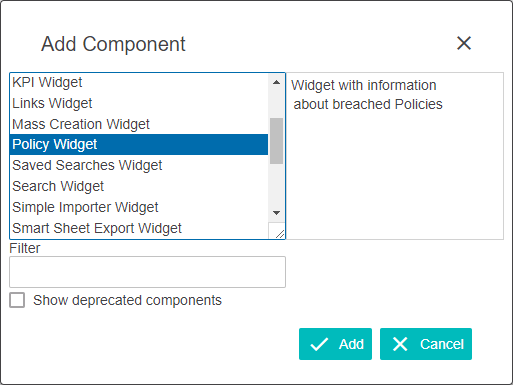
- If adding it to an existing Widget Grid, double-click the desired Widget Grid listed in the Child Components > Content parameter field. Click Add, choose Policy Widget from the 'Add component' dialog, and then click Add again.
- If adding a new Widget Grid, click the Add button under the Child Components > Content parameter field. Select Widget Grid in the 'Add component' dialog and then click Add. Next, double-click the new Widget Grid that is now showing at the bottom of the list in the Child Components > Content field. Click Add, choose Policy Widget from the 'Add component' dialog, and then click Add again.
Widgets can be reordered as needed. Either reorder the individual widgets inside a Widget Grid by clicking on a widget name and then clicking the Up and Down buttons in the Widgets Child Component of the Widget Grid Properties screen. Or, as an alternative, select a Widget Grid in the Child Components > Content field of the Home Page Properties and click Up and Down to reorder the entire Widget Grid. Details on how to add a widget to a homepage can be found in the Adding Widgets to a Homepage topic in the Getting Started documentation here.
- Click Save in the Designer window. At this point, the Policy Widget will display any breached policies.