Setup Groups can be used to hold Integration Endpoints, Business Rules and/or Web UI configurations. Before you can create any of those objects, you need to create a Setup Group in System Setup.
Note: It is required that you have created a Setup Group Object Type and specified which type of Object the Setup Group should hold.
- In workbench, click the System Setup tab, and select any object in the System Setup hierarchy.
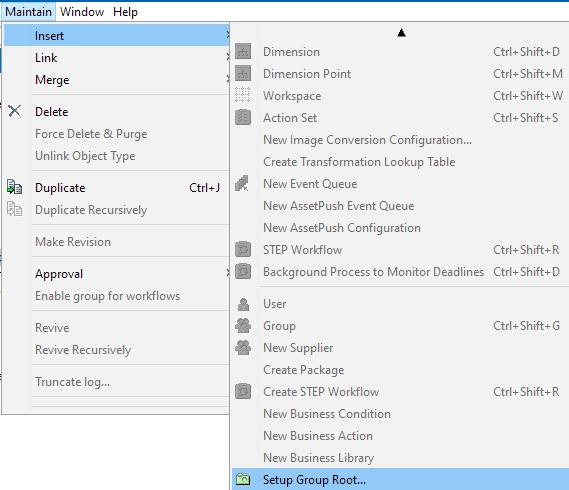
- In main menu, click Maintain, and Insert > Setup Group Root.
A Create Setup Group Root dialog appears.
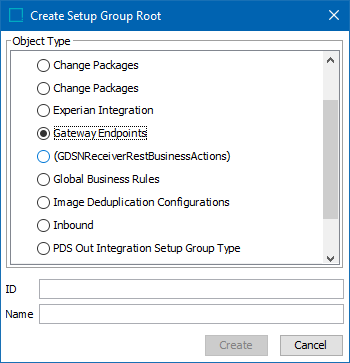
-
Key in ID, Name and click Create.
A Setup Group is created and will appear as a node in the System Setup hierarchy. The Setup Group is ready to be used for Integration Endpoints.
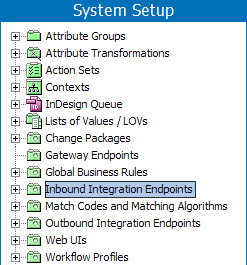
Note: An auto ID pattern can be specified for the setup group. See the Autogenerate Using Name Pattern and ID Pattern topic in the System Setup / Super User Guide documentation here.
Once the setup group root is created, right-click and create the respective configuration under it.