In the default configuration, the following queues are used:
- Import processes have their own queue named IN.
- Export and web publisher processes share a queue named OUT.
- Scheduled processes have their own queue named SCHEDULE.
- All other background processes share a queue named MISC.
The IN, OUT, and SCHEDULE queues are set up to execute one process at a time, while the MISC queue is set up to execute two processes simultaneously. For more information on these settings, see the Background Process Queue Multi-Threading Properties section of the Background Processes and Queues topic here.
The following STEP background process properties define the type of data being processed:
- BackgroundProcess.ProcessType.Exporter.Queue=OUT
- BackgroundProcess.ProcessType.Importer.Queue=IN
- BackgroundProcess.ProcessType.Schedule.Queue=SCHEDULE
- BackgroundProcess.ProcessType.WebPublisher.Queue=OUT
The following STEP background process properties define the default queue sizes:
- BackgroundProcess.Queue.IN.Size=1
- BackgroundProcess.Queue.MISC.Size=2
- BackgroundProcess.Queue.OUT.Size=1
- BackgroundProcess.Queue.SCHEDULE.Size=1
All of the background process settings can be viewed in the STEP System Administration portal, on the Configuration tab under the Background Process section.
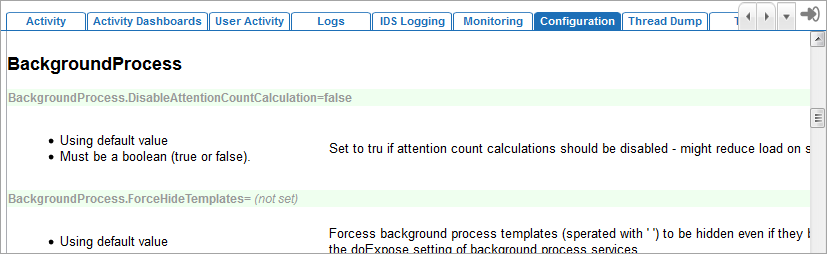
For more information, see the Configuration topic in the Administration Portal documentation here.