SPOT can be used to check STEP's baseline version, component versions, core hotfixes, and customer add-ons that have been applied to the environment, as well as components that have available updates.
- Go to the directory where STEP is installed. The default path is /opt/stibo/step
- Run the SPOT command as follows:
./spot –c
or alternatively,
./spot --components
Example:
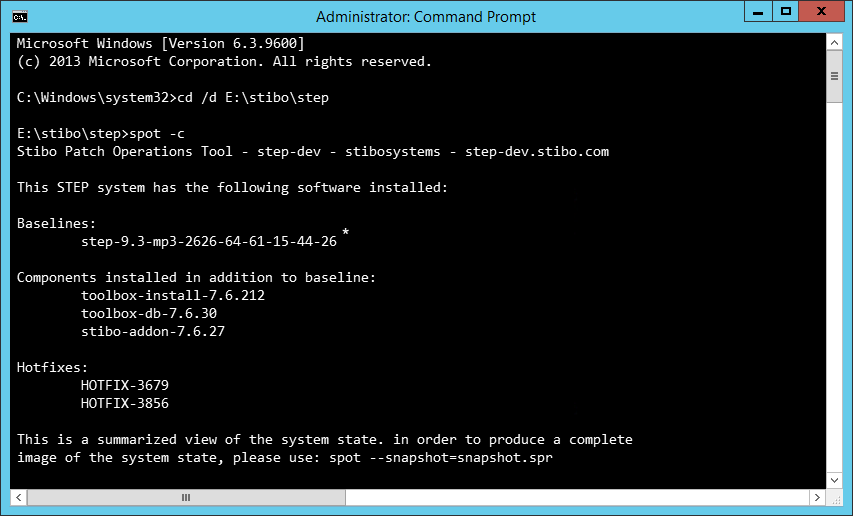
Note: The baseline specifies the STEP version, which often includes a monthly maintenance patch (MP) level. In this example, the system is running STEP 9.3 with maintenance patch 3.
Verify components available for updates
- Go to the directory where STEP is installed. The default path is /opt/stibo/step
- Run the SPOT command as follows:
./spot –u
or alternatively,
./spot --showupdates
Verify if all servers in the cluster are at the same software level
- Go to the directory where STEP is installed. The default path is /opt/stibo/step
- Run the SPOT command as follows:
./spot --clustercheck