The Matching component model specifies the object types shared by all defined matching types. Other individual matching component models further specify object types for the specific matching being performed, such as the matching defined in the Match and Link topic (here) or the Match and Merge topic (here).
Prerequisites
Create all relevant object types, attributes, and references to make them available for selection in the component model.
Configuration
To configure the component model:
- In System Setup, open the Component Models node and click the Matching component. The Component Model Configuration editor displays the aspects of the matching component.
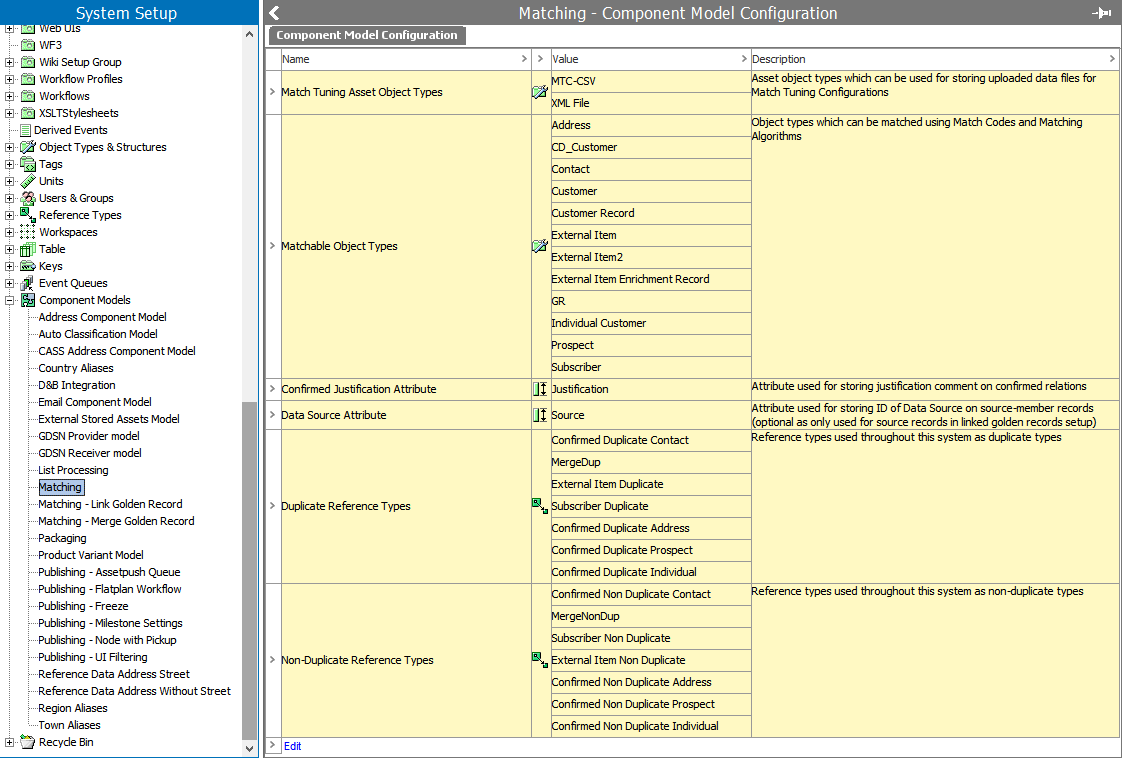
- Click the Edit link (or the Edit (pending changes) link) to display the Edit Component Model Configuration dialog.
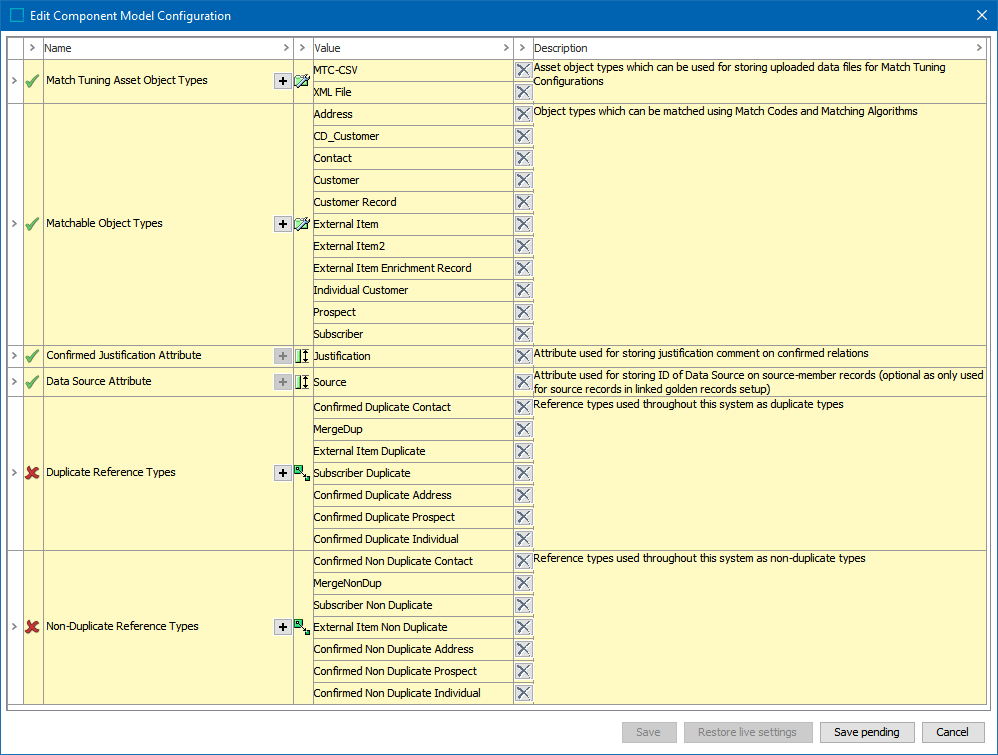
To edit an aspect:
- Double click the plus button (
 ) on an aspect to display the 'Select ... for aspect' dialog and select an object type, attribute, or reference type. The button remains active for aspects that allow multiple selections.
 - Double click the delete button (
 ) to remove a selection.
A green check ( ) means the aspect has no errors; a red X (
 ) means additional setup is required. Hover over the X for additional information.
- For each of the following aspects choose to add object(s), attribute(s), or reference(s), and click the Select button.
- Match Tuning Asset Object Types – Select the object types to store the profile data for match tuning.
- Matchable Object Types – Select the object types that need to be matched. Only the object types configured can be used as object types for match codes. On objects of these types, the 'Matching' tab is automatically enabled. The 'Matching' tab shows match code values, potential duplicates, and confirmed relations for the selected object.
- Confirmed Justification Attribute – Select a valid description attribute for all reference types specified in the 'Duplicate Reference Types' and 'Non-Duplicate Reference Types' fields. This attribute stores a description explaining why two objects are marked as duplicates or non-duplicates.
- Data Source Attribute – Select one or more description attributes valid for all source object types specified in the 'Source Object Types' field. This attribute contains the source ID of the source objects. If you select more than one attribute in this field, then exactly one of these attributes must be valid per source object type chosen in the 'Source Object Types' field. This field is only required for Link Golden Records solutions with Trusted Source survivorship rules configured.
- Duplicate Reference Types – Select one or more reference types to store the manually maintained confirmed duplicate references. These references store the reason for confirming two objects as duplicates specified in the attribute selected in the 'Confirmed Justification Attribute' field. All the selected reference types must have exactly one valid attribute from the 'Confirmed Justification Attribute' field. Only the duplicate reference types you select can be used as 'Duplicate Type' on a matching algorithm. In a typical scenario, you will have different duplicate reference types for different matching algorithms. If you reuse duplicate reference type between algorithms, the confirmed duplicates will be reused between those algorithms.
- Non-Duplicate Reference Types – Select one or more reference types used by the system for storing the manually maintained confirmed non-duplicate references. These references store the reason for confirming two objects as non-duplicates specified in the attribute selected in the 'Confirmed Justification Attribute' field. All the selected reference types must have exactly one valid attribute from the 'Confirmed Justification Attribute' field. Only reference types selected can be used as 'Non-Duplicate Type' on a matching algorithm. In a typical scenario, you will have different duplicate reference types for different matching algorithms. If you reuse the non-duplicate reference type between algorithms, the confirmed non-duplicates will be reused between those algorithms as well.
-
Save or cancel your work:
- Click the Save button to save a configuration once it has no errors.
- When enabled, click the Save pending button to save your work while errors exist.
- When enabled, click the Restore live settings button to undo the changes made to a previously error-free, saved configuration.
- Click the Cancel button to undo all changes made in this dialog.