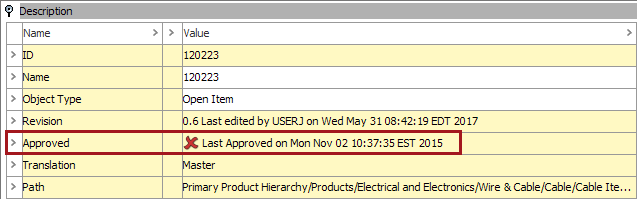
This criteria is used to identify objects that are not currently approved. These include classifications, products, images and documents, and entities setup to be Workspace revisable.
- Click on the Search tab and click the Search dropdown.
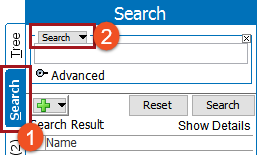
- Select Unapproved from the dropdown.
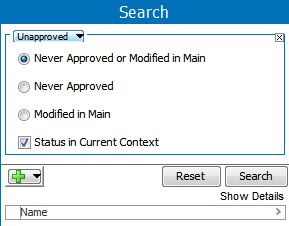
- Select the appropriate radio button and set the checkbox:
- Never Approved or Modified in Main: All objects that have 'Never been approved' and have been 'Modified in main'.
- Never Approved: Objects (products, classifications, assets & documents, or entities) that are workspace revisable and that have never been approved.

- Modified in Maintenance: Objects that are modified after the approval or added to in the maintenance workspace.
- Status in Current Context: When this box is checked, only the current context is searched. If unchecked, all objects in all contexts are searched.

- If needed, click the green plus button (
 ) to add additional search criteria.
 - Click Search to run the search and view results.