With the STEP Workflow search criteria you can search for and monitor STEP workflows. Selecting a specific workflow from the dropdown list will show all items associated with the workflow. You can also specify the workflow state to narrow your search.
- Click on the Search tab and click the Search dropdown.
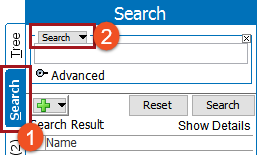
- Select STEP Workflow from the dropdown to display two additional dropdowns with options based on availability in your system.

In this example, 'Sales Item Creation' will be used for the STEP Workflow search field.
- For the State dropdown, specify the state you wish to search within.
- Select a state defined in the workflow to search only items currently in the state.
- Select [any State] to search the entire workflow, as shown in this example.
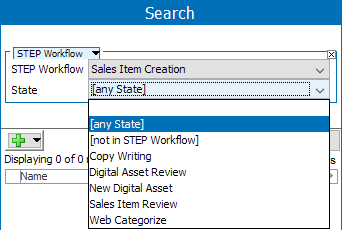
- Select [not in STEP workflow] to search objects which are not present in the selected workflow.
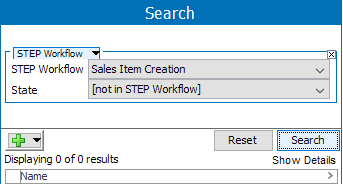
- If needed, click the green plus button (
 ) to add additional search criteria.
 - Click Search to run the search and view results.
