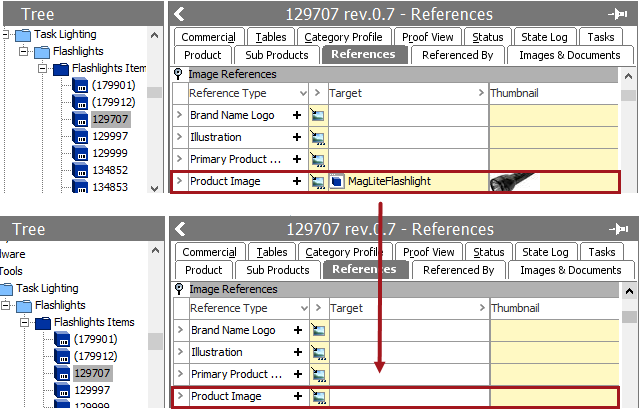
This operation removes references to a specific target or all references of a specific type.
For more information on the Bulk Update wizard, see the Creating a Bulk Update topic
This operation can also be run via the business rules functionality, as described in the Business Action: Remove Reference topic in the Business Rules documentation here.
Configuration
- Select Remove Reference from the dropdown.
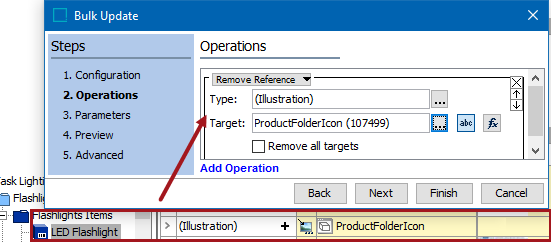
- For the Type parameter, click the ellipsis button (
 ) to display the Select Reference Type dialog, choose the reference type that should be removed and click the Select button.
 - For the Target parameter, use one of these methods to select the relevant target. Leave this parameter blank to remove all references of a specific type without limiting removal to a node. The target must be in accordance with the selected type, otherwise an error is displayed.
- Click the 'abc' button (
 ), click the ellipsis button () to display the Select Reference Target picker, select a valid target, and click the Select button.
 - Click the 'fx' button (
 ), click the ellipsis button () to display the Function Editor dialog, write a function to select a valid target, and click the Select button. For more information, see the Using Function Editor topic in the Resource Materials online help here.
- For the Remove all targets parameter, set the checkbox as follows:
- Unchecked means references of the specified type are removed from the modified objects.
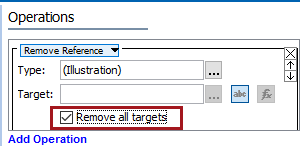
- Checked with a blank Target parameter means all references of the specified type are removed from the modified objects.
Example
The 'Product Image' attribute on the item holds the ID of an image asset.
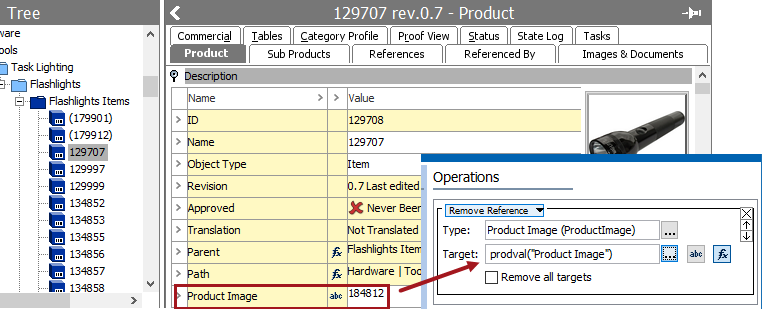
When the bulk update runs, it uses function to determine the value of the attribute, to find which reference to remove from the Product Image type.