Power BI IDs are required when configuring the Power BI Screen and Power BI Widget components in the Web UI. These IDs are needed to link to the relevant reports, dashboards, and tiles in Power BI. Five types of IDs are available:
- Workspace ID
- Report ID
- Report Page ID
- Dashboard ID
- Dashboard Tile ID
This topic explains how to locate these IDs in the URLs that are accessed from within the Power BI web application. You must be logged into Power BI (https://app.powerbi.com) to access these URLs.
Report and Report Page IDs
To configure either the Power BI Screen or Power BI Widget, you need the ID of the report, dashboard, or dashboard tile that you wish to embed.
- The Workspace ID can be copied from the URL of a report or dashboard when viewed from within Power BI. The Workspace ID is defined in the groups section of the URL. For example, https://app.powerbi.com/groups/556ac84-9d9a-4af6-b569-6a770f3bbe11/reports/974040d0-d401-4680-87f3-49a04acbccda/ReportSection3.
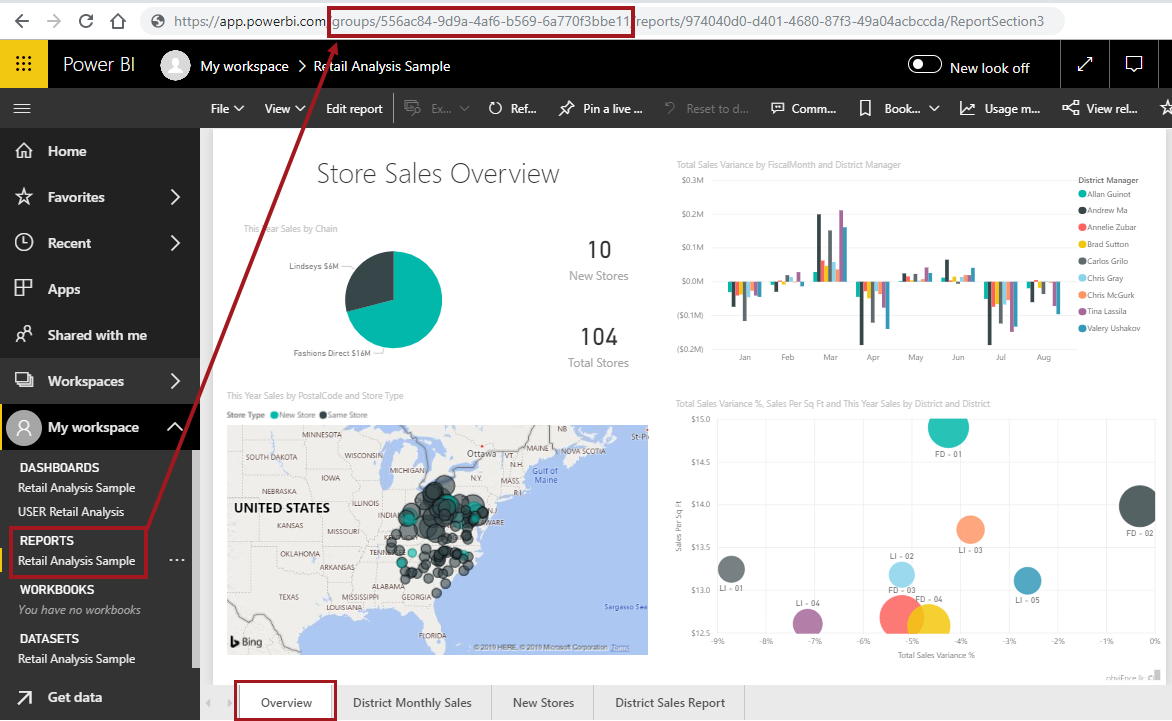
- The Report ID is available by selecting the relevant report when viewed in Power BI and inspecting the URL. For example, in the above URL, the report ID is https://app.powerbi.com/groups/556ac84-9d9a-4af6-b569-6a770f3bbe11/reports/974040d0-d401-4680-87f3-49a04acbccda/ReportSection3.
- The Report Page is the page of the report that will show when the report is first loaded. For example, https://app.powerbi.com/groups/556ac84-9d9a-4af6-b569-6a770f3bbe11/reports/974040d0-d401-4680-87f3-49a04acbccda/ReportSection3
In the above screenshot, the Overview tab is the report page. Other report pages can be viewed by clicking on another tab (e.g., District Monthly Sales or New Stores). When another page is selected, the URL will then show the page ID of the selected page.
Dashboard and Dashboard Tile IDs
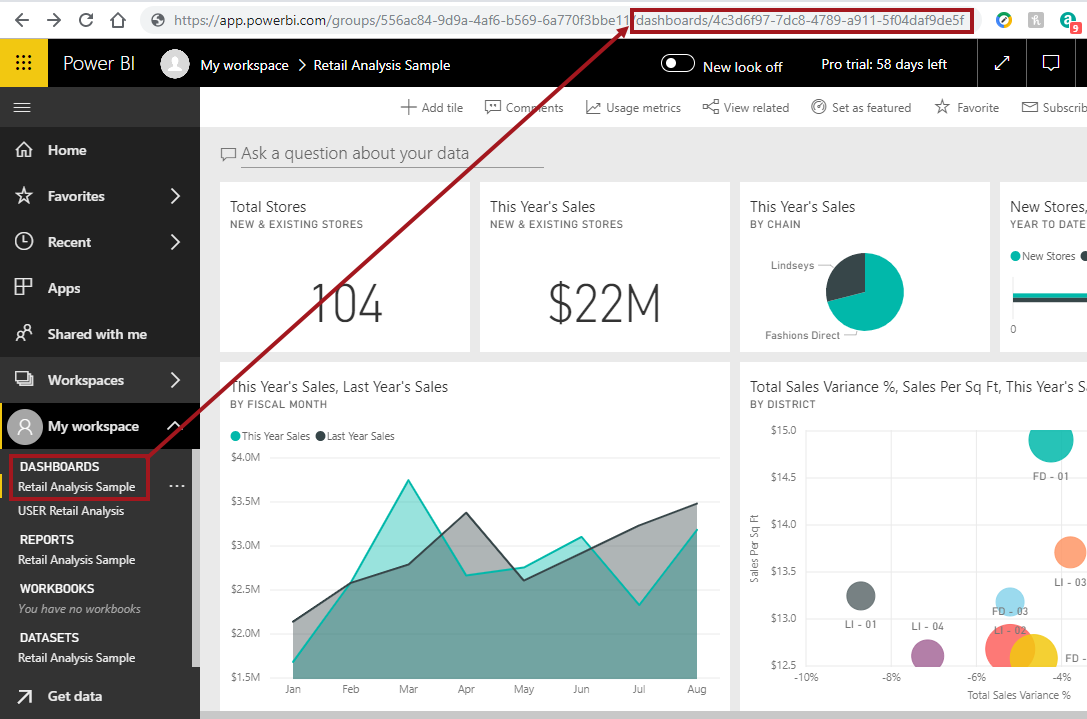
- The Dashboard ID is available by selecting the relevant dashboard when viewed in Power BI and inspecting the URL. For example: https://app.powerbi.com/groups/556ac84-9d9a-4af6-b569-6a770f3bbe11/dashboards/4c3d6f97-7dc8-4789-a911-5f04daf9de5f.
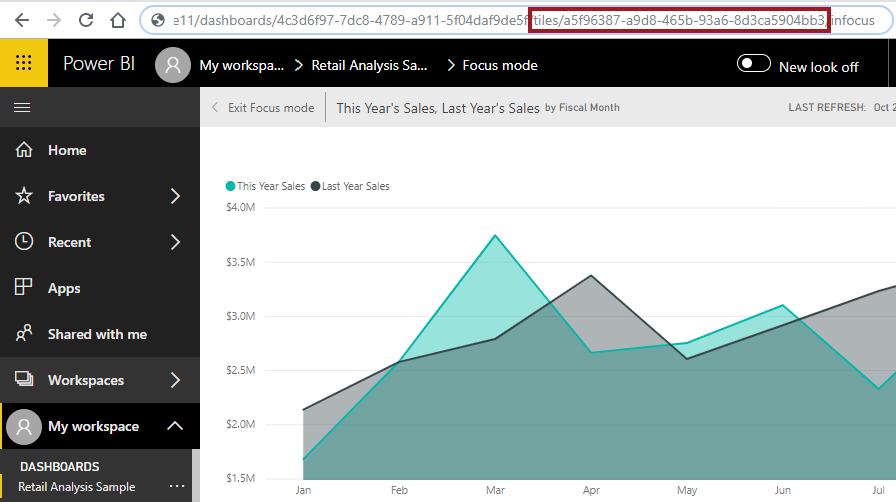
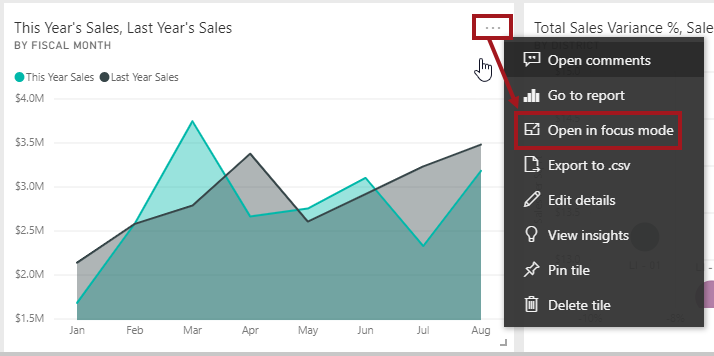
- The Dashboard Tile ID is available by selecting the relevant dashboard when viewed in Power BI, then clicking the ellipsis (...) that appears when hovering over a dashboard tile and selecting 'Open in Focus Mode.'
The tile opens in Focus mode, and the ID of the tile is available in the URL. For example, https://app.powerbi.com/groups/556ac84-9d9a-4af6-b569-6a770f3bbe11/dashboards/4c3d6f97-7dc8-4789-a911-5f04daf9de5f/tiles/a5f96387-a9d8-465b-93a6-8d3ca5904bb3/infocus