Creating a New Event Queue
A manually created event queue includes templates for a variety of object types.
Important: The functionality of this legacy feature is limited. Using an OIEP is preferred, as defined in the Creating an Outbound Integration Endpoint topic in the Data Exchange documentation here.
- In System Setup, right-click the Event Queues node and select the New Event Queue option.
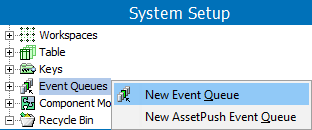
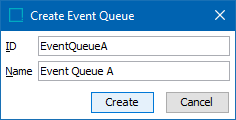
- Add an ID and a name and click the Create button to save the event queue.
The queue is displayed below the Event Queues node.
- Select the new queue and on the Event Queue Editor tab, edit the parameters as defined below.
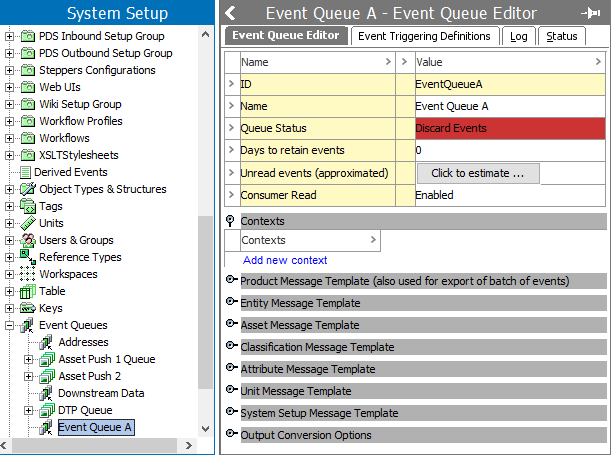
- For details on the Queue Status parameter, see the Event-Based OIEP Status and Queue Status topic in the Data Exchange documentation here.
- For details on the Days to retain events parameter, see the Event-Based OIEP Forward, Rewind, Purge, and Republish topic in the Data Exchange documentation here.
- For details on the Unread event (approximated) parameters, see the Event-Based OIEP Queued Events topic in the Data Exchange documentation here.
- For the Consumer Read parameter, Disabled (default) means processed events are held and are not delivered to their final destination. This setting stops events from queuing, for example, when the location that receives the deliveries is experiencing problems such as a full disk. Enabled means processed events can be delivered to their final destination.
Note: The Event Consumer can be created and edited via the right-click menu when selecting the event queue as defined in the Create or Edit Event Consumer topic here.
- Make additional changes as necessary for the Contexts flipper, the various Template flippers, and the Output Conversion Options flipper.
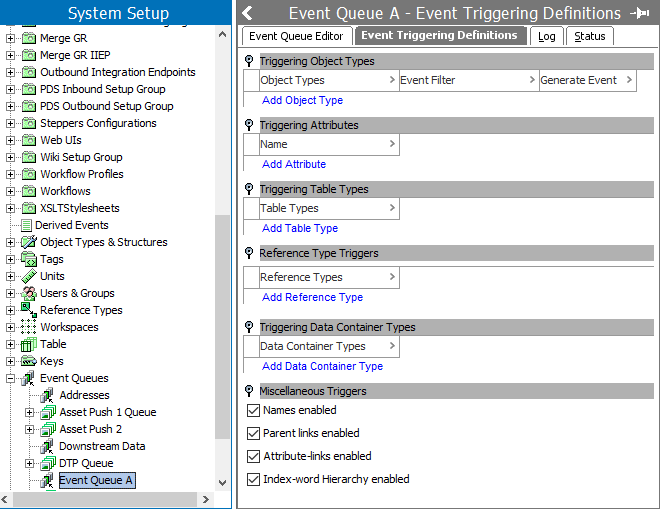
- On the Event Triggering Definitions tab, edit the parameters as defined in the OIEP - Event-Based - Event Triggering Definitions Tab topic of the Data Exchange documentation here.
- To set the desired queue action, complete queue configuration as defined in the Maintaining Event Queues topic here.