Maintaining Action Sets
An action set allows multiple actions to be added or removed as a group.
Creating an Action Set
Action Sets are created below either the Action Sets > Setup Actions or the Action Sets > User Actions node.
- In System Setup, open the Action Set group and select the relevant main Action Sets folder.
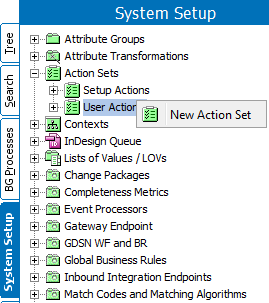
- Right-click, and then click New Action Set (or in the Maintain menu, point to Insert and then click Action Set).
A Create Action Set dialog box appears.
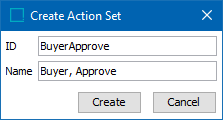
- Type the ID and Name of the Action Set. In this example we will create a 'Buyer Approve' Action Set.
- Click Create.
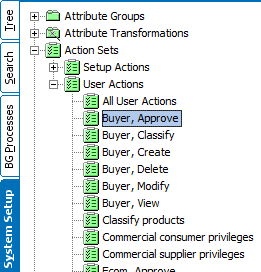
A new Action Set has now been created, and the next step will be to add the specific actions.
Adding Actions to an Action Set
Actions are added to the Set via the editor Add Action link.
- In System Setup, open Action Set, and then open the relevant main Action Sets folder.
- Select the relevant Action Set and the Action Set Editor appears.
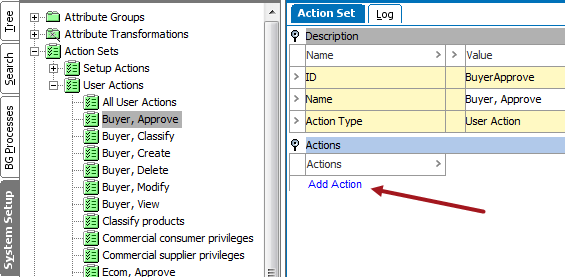
- Under Actions, click Add Action and the Select Action dialog box appears.
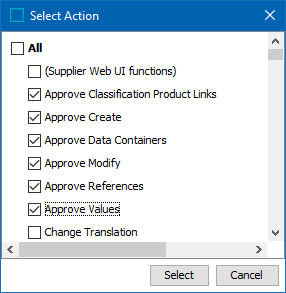
- Select all, or one or more actions by clicking the relevant check boxes.
- Click Select.
The selected action(s) appears under Actions.
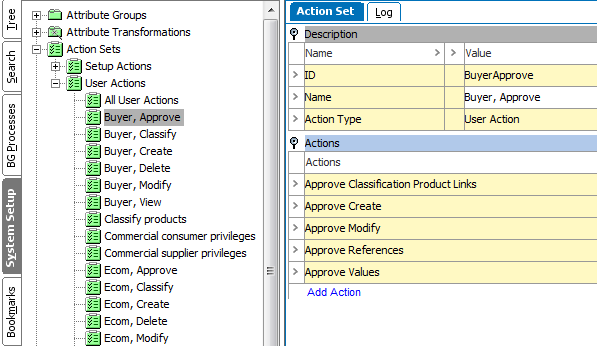
The selected Action Set will now include the added action(s), and when an action set is assigned to a user group, the members will be able to perform all actions in the actions list.
Removing an Action from Action Set
Action Sets are created in System Setup: Action Sets.
- In System Setup, open Action Set, and then open the relevant main Action Sets folder.
- Select the relevant Action Set and the Action Set Editor appears.
- Under Actions, select the action to be removed from the Action Set.
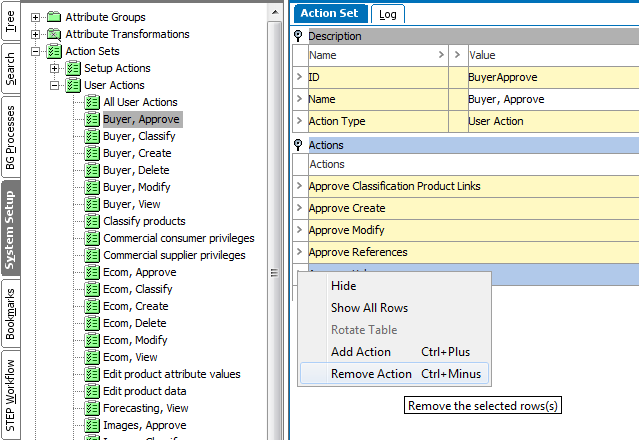
- Press Ctrl - on the keyboard, or right-click the row header arrow, and click Remove Action.
An action has now been deleted from an Action Set. When a user group is assigned to this Action Set, the members will no longer be able to perform this specific action.
Action Set Log Tab
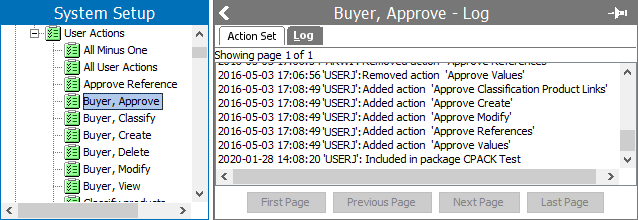
Once an action set has been created, the Log tab will display specific details, including who created the action set, when the action set was created, and any changes that have taken place to the action set.
This information is essential for audit purposes, as well as aiding data stewards and/or system architects in setting up and updating the action sets.