Profiling Recommendations
This is one of the data gathering methodologies and recommendations for functional performance improvement. The full list is defined in the Functional Performance Recommendations topic here.
The Category Profile and Data Profile functionality provides a detailed overview of data in a specific branch of the hierarchy in Tree. However, when large categories are profiled, the system uses a lot of memory which can have a negative impact on system performance.
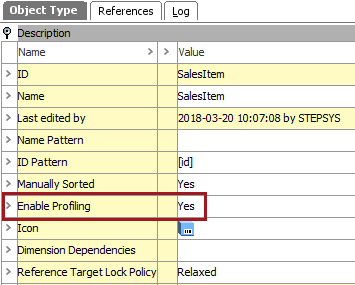
Profiling is enabled in System Setup, using the 'Enable Profiling' parameter with the Object Types & Structures node.
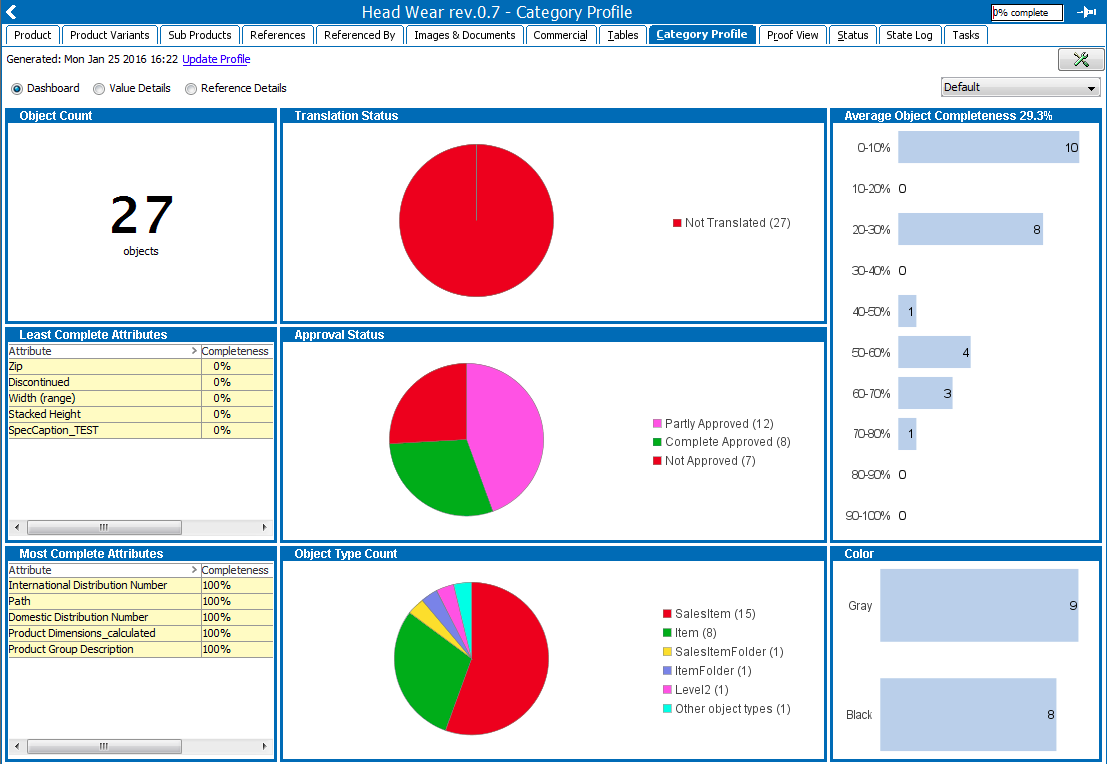
When a profile is run, information about the data is displayed as follows and provides access to correct data errors:
For more information, see the Data Profiling documentation here.
Recommendations
- Only enable profiling when required.
- Limit memory usage when profiling is enabled via the following case-sensitive sharedconfig.properties:
DataProfile.MaxDistinctAttributeValuesConsideredDuringProfileGeneration - Sets the maximum number of distinct attribute values per attribute considered during profile generation. The default setting is 100. When the limit is reached, the following happens:
- Frequent value counts can become inaccurate. STEP uses a counting implementation dedicated for counting in big data collections with a limited memory usage from Clearspring Analytics.
- The rare value count is disabled because only a frequent count can be maintained. In the profile, the frequent and rare values cells for attributes with too many distinct values are displayed with a light red background color. The attribute completeness and count, and the value instance counts for profiled attributes are correct.
DataProfile.MaxDistinctTargetsConsideredDuringProfileGeneration - Sets the maximum number of distinct targets for the reference or link type that is profiled. The default setting is 100.