10.1 Upgrade Guide
Summary
Before upgrading the platform and its add-on components, there are certain system changes that customers need to be aware of when moving to 10.1 from an earlier version. This list may not be comprehensive; however, along with the full release note set, it provides a starting point for upgrade evaluation.
As with every release, some components are deprecated, removed, desupported, or not backwards compatible for various reasons. A list of these components can be found below. To see future updates and to find any software end-of-life notifications, customers should also read the Platform and Software Support Changes release note (here) and each individual release note for items that may not be listed below.
Details
Stibo Systems' branding updates
Stibo Systems' branding has been updated to convey our commitment to transparency with master data management (MDM) and to also convey our Nordic heritage. Stibo Systems Enterprise Platform (STEP) Workbench and Web UI users will notice changes to logos, splash screens, login pages, fonts, icons, favicons, and general color schemes. The new branding also ties together our portfolio of solutions.
Support, platform, and system admin information
The following items are desupported with the 10.1 release:
- Oracle 12.2.0.1
- Oracle 18c (on Windows Server 2019)
- Windows 8.1 (Client)
- Windows Server 2012 R2
- Adobe Illustrator*
- Excel Office 2003**
- Office for Mac 2011 Excel**
*Customers with Illustrator installed will need to remove the component prior to upgrading. For example, apply the ./spot --apply rm:illustrator --stopped command and then perform the upgrade (./spot --upgrade=step:10.1). For more information about the Stibo Patch Operations Tool (SPOT) commands, see the SPOT Program topic in the Patching STEP section of the System Administration documentation here.
**Customers using unsupported Excel versions should convert import and export files, older Smartsheet versions, translations, eCatalog files, etc., to a supported version and resave prior to upgrading to 10.2 (i.e., open XLS files and resave as XLSX files). With the next feature release (10.2) in Spring 2021, the option to use desupported Excel versions for imports and exports will be removed from the Stibo Systems Enterprise Platform (STEP) interfaces.
Support for the 9.0 version of STEP is ending June 1, 2021, and support for version 9.1 ends January 1, 2022.
Enhanced Workbench Launcher security update (upgrade recommendation)
The Workbench Launcher (the desktop-based software that allows the workbench to be started) has been enhanced to check the origin of all the workbench software downloaded from the server. The Workbench Launcher has always checked that the origin of the code that it is instructed to download was from Stibo Systems, so this added check provides additional security.
If Workbench Launcher version 7.0.19 (released after August 2020) is installed on the desktop, then it will work with all STEP versions, so upgrading all users to the latest released Workbench Launcher is recommended.
The verification improvements are available by default for all users starting with this release.
If an old workbench launcher is used with 10.1 or newer, then security is maintained, though upgrading the workbench launcher to the latest version is still recommended and highly encouraged. Upgrading allows all users to see the new splash screens and access updated documentation for Workbench Launchers. The Workbench Launcher is accessible from your system's Start Page.
In-Memory footprint reduction
Work has been done to reduce the In-Memory footprint in an effort to lower cost and scalability issues that may come about when In-Memory customers load large amounts of data to STEP. Users will be able to take advantage of these changes upon upgrade and installation of the latest 'inmemory' component. For more information about In-Memory, see the In-Memory Database Component for STEP topic in the Resource Materials section of the documentation here.
Web UI-specific information
The following changes are described further in the Web UI Enhancements and Changes release note here.
- To apply additional consistency in how Web UI elements are labeled, object names will now display instead of their IDs in four scenarios described in the 'More consistent display of names in the Web UI' subheader.
- If 'Null' has been added to a business action using the ShowAlert method on the Web UI context bind, upon updating to 10.1, that business action will no longer show any configured message and must have 'null' removed.
Web UI component lifecycle
As with every release, the product team moves older, less-utilized components into or further through the component removal process. At each stage of the component lifecycle, components can be deprecated, removed, desupported, or replaced. In some cases, components are simply renamed; in others, components are given additional functionality that may require older versions of the component be removed so the improved component can be added. These changes contribute greatly to the overall improvement of a given system, but these changes also require customer review when preparing for an upgrade. As alluded to in the previous section, the Platform and Software Support Changes release note and the full complement of 10.1 release notes are available for review, and should be consulted for relevant items that may not be listed in this guide, such as future update considerations and software end-of-life notifications that may have an impact on a system configuration.
Component lifecycle status changes
Twenty-four legacy Web UI components are moving into a new stage within the component removal lifecycle with the 10.1 release. The purpose of these component status changes is to simplify the component list, minimize support on components that have an improved substitute, and to remove clutter and uncertainty as to which component(s) to use. For users, this means that previously superseded components are now withdrawn, and all previously withdrawn components are now being removed (deleted). Alternate components have previously been announced, and it is very important for customers to make sure they are using those recommended components prior to upgrade. Details on how to identify these components are outlined in the intro section of this topic and at the end of this section.
For detailed information regarding component lifecycle stages and to learn more about the customer benefits of this update, see the Web UI Enhancements and Changes release note
The table below lists the two components that have been withdrawn for 10.1 as well as the recommended replacement components:
|
Affected Component |
Status |
Alternate Component |
|---|---|---|
|
Initiate Business Action Action |
Withdrawn |
Run Business Action |
|
Stack Panel |
Withdrawn |
Global Navigation Panel |
Listed below in alphabetical order are the 22 components that have been deleted with the 10.1 release.
- Advanced Merge Data Container Header (AdvancedMergeDataContainerValueHeader)
- Asset Mid Sized
- Asset Thumbnail
- Attribute Link Completeness Header
- Attribute Link Editor
- Background Process Detail
- Background Processes
- Check Duplicates Action
- Corner Bar Simple Search
- Data Container Attribute View Editor (DataContainerAttributeViewEditor)
- Deduplication List Tab Page
- Entity Summary (EntitySummary)
- Move Action
- Node Hierarchy
- Referenced By
- Referenced By Tab Page
- Run Server Script Action
- Smart Sheet Export
- Status Selector
- Status Selector Widget
- Template Title Header
If any invalid configurations exist upon upgrade, the Properties dialog (displayed when entering Web UI Design Mode) will instruct users to go to the Web UI Component Report to view and address these configurations. Examples of invalid configurations are components and/or parameters that need to be updated or removed because they are no longer valid for your data structure. The Web UI Component Report is also accessible via the Start Page.
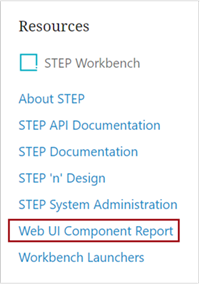
Details about this report can be found in the Web UI Component Basics topic in the Web User Interfaces / Web UI Getting Started documentation here.
Also, as referenced in multiple topics in online help, users can see all Web UI components and their statuses (with respect to the component removal lifecycle process) by visiting the 'Web UI component configuration reference' web page. This reference resource is available by navigating to [your system name]/webui/docs.
Additional system updates
Users should also be aware of the updates below that have user impact / action required:
- A new default file name template will be applied for several delivery methods. Without user intervention, default file names generated by existing delivery methods are changed to include a date / time stamp and in some cases, different text to indicate the selected file format. If a downstream system that consumes the exported data requires the previous default file name, manual updates must be made to the Export Manager configuration or the outbound integration endpoint (OIEP) configuration to overwrite the new default and restore the expected file name. Default file names that were modified prior to 10.1 are not changed by this update. For new exports or OIEPs in 10.1, admin users will need to change the file name template if the new default is not preferred. For more information, see the 'New output default file name template improvements' subheader in the Data Exchange Enhancements and Changes release note here.
- IDs will no longer be automatically applied to Image Conversion Configurations. Users that want an ID provided automatically for Image Configuration Conversions will need to provide a value for the 'ID Pattern' parameter within the Image Conversion Configuration Object Type, which is located in the Assets folder in System Setup. Users that want to manually provide an ID for an Image Conversion Configuration will be able to do so in the Image Conversion Configuration wizard during initial creation. For more information, see the 'Exporting and importing image conversion configurations and asset push configurations' subheader in the Data Exchange Enhancements and Changes release note here.
- Impersonation edits are now indicated as performed by the authenticated user (impersonator) instead of the previous way of doing it, which was to log transactions by the impersonated user. For more info, see the 'Auditability improvements to impersonation' subheader in the General Enhancements and Changes release note here.
- For systems using a Cassandra database, background process execution reports are stored in the file system instead of in the database. On clustered setups this can, for fast processes, have the effect that a process can finish before the execution report is displayed in the GUI. Work on improving this behavior is in progress.
Online Help / documentation changes
With every release, documentation updates occur. Those listed below are the most impactful changes that users should be aware of when upgrading to 10.1.
- Product MDM for Retail, located in the Solution Enablement section of the online help, has been renamed 'PIM for Retail' and the content has been updated.
- The Matching, Merging, and Linking section of online help has been reorganized and updated. Work will continue on this section after the 10.1 release, including the inclusion / updating of supporting images.
- 10.1 videos can be found in the Communities and within Jira, the customer portal (see the Release Information Videos dashboard on the left navigation panel or from the Dashboards dropdown menu).
- Various online help updates have been made to match updated branding guidelines, and screenshots and such for all content will continue to be updated / introduced in 10.1 maintenance patches.
- Documentation was updated to remove information about unsupported versions. For unsupported platform versions, this includes the removal of the release and maintenance patch notes, which are still accessible via the customer portal (Jira) within the Release Information dashboard. Product MDM for Automotive 8.3 release and maintenance patch notes were also removed and can be provided upon request.
- New topics were added to provide ReplacementRules examples and can be found under the ReplacementRules Tag in STEPXML section in the STEPXML Format > Data Formats > Data Exchange documentation here.