Product Templates
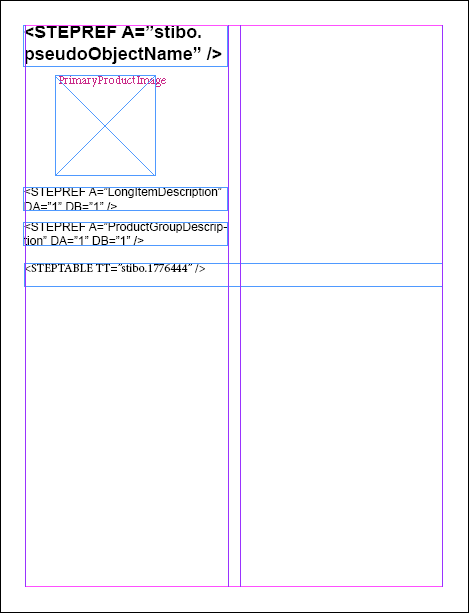
STEP’n’design enables users to mount predetermined product presentations directly to InDesign pages using product templates. Product templates are normal InDesign documents (.indd) that are used along with STEP Publisher (and the associated STEP Publisher components Flatplanner and AutoPage) to roughly plan the layout of finalized InDesign pages and organize the STEP attributes, assets, tables, and additional stylistic elements that comprise these product presentations.
Advantages of Using Product Templates
Product templates are used with all STEP Publisher components —STEP Publisher ('drag and drop'), Flatplanner, and AutoPage. The advantages of using product templates to build pages in InDesign include:
- Control over the positioning of individual elements on pages—such as text frames, image frames, and tables—which reduces the time needed to build pages while simultaneously ensuring accuracy and style consistency
- The ability to place ('mount,' in STEP Publisher terminology) one or several objects directly onto the page in one operation
- Predetermination of which attributes, attribute groups, and asset references (typically images) are part of the product presentation
- Predefined product presentations in terms of fonts, styles, colors, table rule lines, and so forth through the application of InDesign paragraph styles, character styles, swatches, and STEP table settings to frames and frame contents
- 'Create once, use many'—product templates can be created once but used over and over, which greatly streamlines production when a publication contains hundreds of pages with identical layouts
- Templates can be easily created, maintained, and reused by designers
Note: Pages can be built in STEP Publisher without product templates, but this is uncommon. Without a product template, data can only be mounted onto pages one attribute / asset reference at a time, and the page layout is not predetermined. Due to these limitations, it is strongly recommended to use product templates. Use cases do exist, however, for 'one-off' mounting of attributes and/or assets to InDesign pages. See the Mounting Products topic here for more information.
Topics Covered in this Documentation Section
This documentation section addresses the following product template topics:
- Creating a product template
- Configuring text, image, and grouped elements on templates with STEPXML tagging
- Product template layout, formatting, and styles
- Storing and editing product templates
- Creating a 'table of contents' product template
- Converting a preexisting sample document into a product template
The following topics also involve product templates but are not covered in this documentation section:
- Creating Layers in Product Templates: See the Working With Version Layers topic
- Galley product templates: See the Galley Product Templates section of the Flatplanner documentation
Note: Though objects other than product objects can be mounted onto InDesign pages from STEP (including classification folders, entities, and green publication hierarchy objects themselves), the subtopics in this documentation will refer to InDesign page layouts as 'product presentations' and objects to be mounted as 'products'. This is to streamline the language used in presenting this information.