Match and Merge
A match and merge solution takes ownership over the data and is well suited to data hub implementations with any degree of centralized or decentralized management of data.
In the following, we will use an example of maintaining customer records in a match and merge solution to explain the match and merge data flow.
Data Model
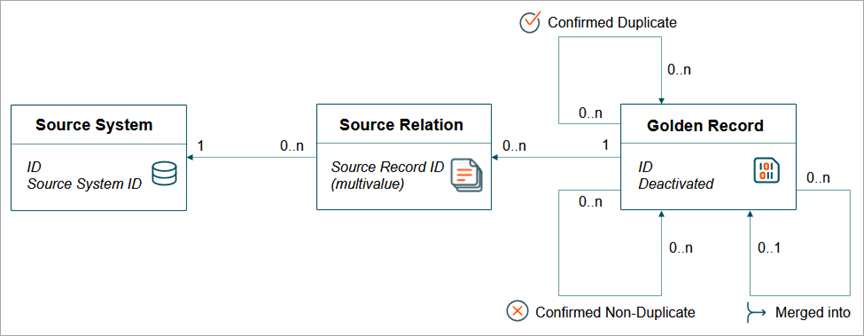
The first thing to note in comparison to a Match and Link Match Action is that the source record and golden record does not use separate object types.
Information Flow
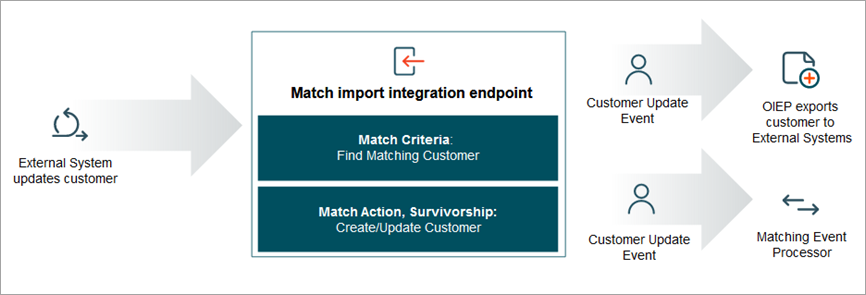
When a customer is created or updated in an external system, the update is delivered to STEP via either Match and Merge Web Service Endpoint or via an Inbound Integration Endpoint configured with the STEP Match and Merge Importer Processing Engine. In both cases, the incoming source record is matched against the existing golden records, and if a match is found, the information from the source record is merged into the relevant golden record using survivorship rules. If this results in updated information, the customer record can be exported back to all external systems. In this way, an update to the customer in any system can be automatically managed for trust and timeliness, and we can ensure that the best possible view of the customer is reflected across the entire ecosystem.
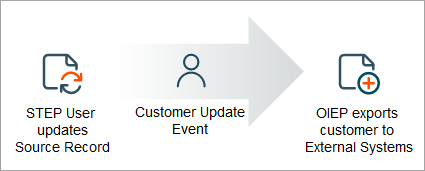
When a user updates the customer in STEP, the update takes place on the golden record itself, and the new trusted record can be exported in the same way as before.
A matching result in a score, which can fall within three groups separated by thresholds. The lowest threshold is the clerical review threshold. A match score below this is considered a non-match. The next threshold is the auto threshold. Anything between these thresholds are possible matches and will be sent to a clerical review to determine if this is indeed a match or not. Anything above the auto threshold is considered a match and will result in the system automatically merging the information.
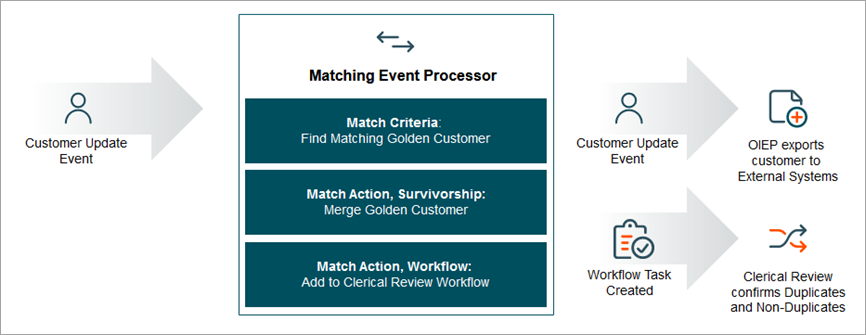
As golden records are created or updated, a matching event processor compares the golden record to other golden records in the system.
If the match score is higher than the threshold for auto-merge, the matching algorithm will declare one of the records the survivor, and deactivate the other record. The information from the deactivated record will be merged into the surviving record, using the survivorship rules set on the matching algorithm. If the match score is between the auto threshold and the clerical review threshold, the two records will be sent to the clerical review workflow to let a data steward decide if the two customer records should be confirmed as duplicates and merged or confirmed as non-duplicates and be kept separate going forward.
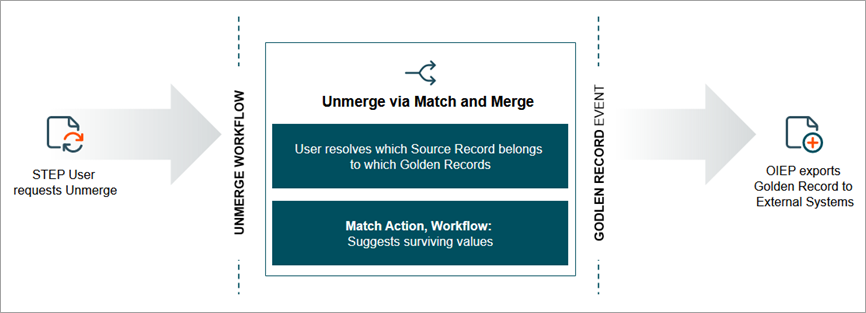
Even in the best organizations, accidents happen. Should two records be merged by accident, STEP has tools to help resolve the issue. In a data hub that is closely integrated with a multitude of source systems, the process of unmerge may require a range of activities in the workflow, aside from the actual unmerge Web UI. The unmerge Web UI uses both original source records from source systems, revision history, and the match algorithm survivorship rules to help the user more easily determine which values belong to what records during an unmerge.