Maintaining an External File Structure
Once the external file structure (EFS) setup is complete, as defined in the Initial Setup for an External File Structure topic (here), maintenance tasks can be performed from within workbench.
The following maintenance actions are available:
- Integrity check
- Backup
Integrity Check
Checking the integrity of an EFS from workbench involves two parts:
- Forward check determines if an asset in the selected classification node in STEP is missing the image file in the EFS. The assets with missing image files are added to a collection.
- Backward check determines if any image file in the EFS is missing a matching asset in STEP. All assets in the EFS are compared to all revisions of the STEP entry, not just those in the selected classification folder. The images not recognized by STEP are listed in a flat text file.
Use the following steps to run the integrity check and correct the problems when necessary.
- In workbench, in the Tree, select one or more asset classification folders.
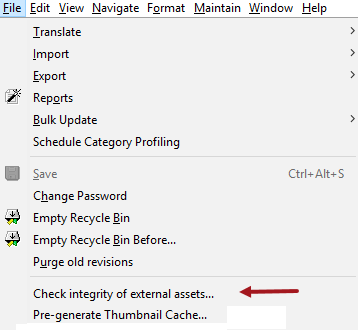
- On the File menu, click the Check integrity of external assets option.
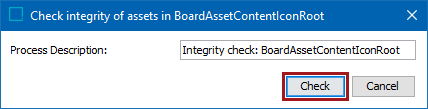
- On the 'Check integrity of assets in' dialog, click the Check button.
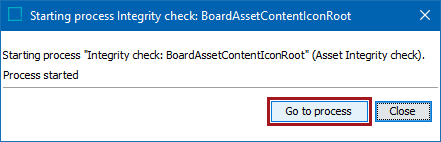
- On the starting process dialog, click the Go to process button to monitor the background process. On the BG Processes tab, monitor the status of the background process under the 'Asset Integrity check' node.
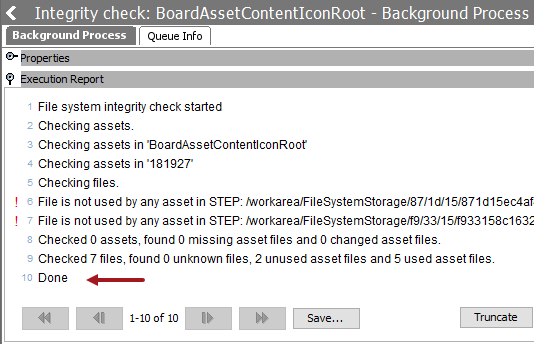
- Verify that the Execution Report flipper shows that the Integrity Check has completed. The last row of the report is 'Done.'
Note: Any file found in the external structure that is not recognized as a STEP asset is reported in the Execution Report as an 'unknown' file. These files are not included in the unused.txt file.
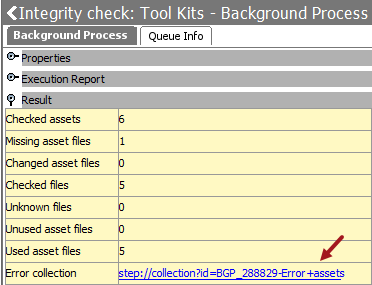
- Open the Result flipper and if the Error collection parameter includes a URL link, complete the following steps:
- Click the URL link to open the error collection and click the Tree tab to display the collection.
- Expand the collection.
- Select an asset, right-click and select Replace asset content option.
- Browse to the location of the asset, and select it to replace the asset.
- Repeat for all assets in the collection.
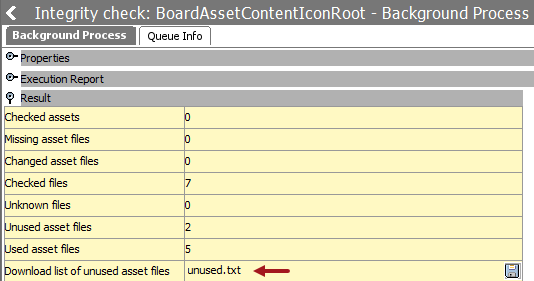
- On the Result flipper, if the Download list of unused asset files parameter includes the 'unused.txt' flat text file, open the file to review the external assets not currently being used by any revision in STEP.
No action is required for the items in this file as these are not necessarily errors to be corrected.
The following scenarios can cause entries in this file:
- A purge of assets in STEP, so the references to the EFS were deleted, but the EFS image files remain.
- An asset is imported to STEP that overwrites an existing asset. The new asset is placed in the EFS, and the asset that it replaces is no longer used.
Backup
When storing assets in the STEP database, backup consistency is guaranteed using Oracle RMAN for backing up all production data. When assets are stored in an EFS, the backup procedure is more complicated because data needs to be secured in the database as well as the image files in the EFS, and the two backups must synced as closely as possible. While it is difficult to synchronize the two backups, restore an EFS backup that is slightly newer than the database backup to guarantee that image files referred from the database will also exist in the EFS.
Important: A benefit of an EFS is that backup procedure performance on the database is faster when assets are stored outside the STEP database (as opposed to storing assets inside the STEP database).
The write-once algorithm used by the EFS allows the EFS backup procedure to be optimized by backing up only new files. With the 'write-once' method, files are not modified, instead, every change to an asset generates a new image file in the asset file system storage.