Accessing the Admin Portal
This topic describes how to access the admin portal, including what privileges are required to do so.
Prerequisites
In order to access the admin portal, the person attempting to log in must have a user created in STEP that is a member of a user group with privileges that include the following setup actions:
- View Administration
- View Context
For example:
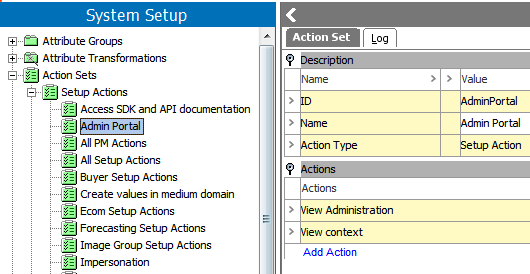
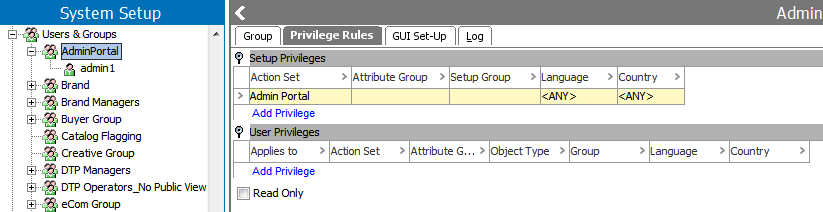
Additional information on Actions, Users, and User Groups can be found in the System Setup / Super User documentation, under Action Sets
Access
The admin portal can be accessed in two ways:
- Typing the appropriate URL into any browser: [server name]/adminportal
- Clicking STEP System Administration link from the Resources section of the Start Page
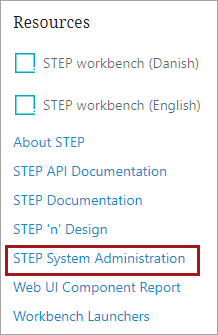
Either access method will yield a login prompt:
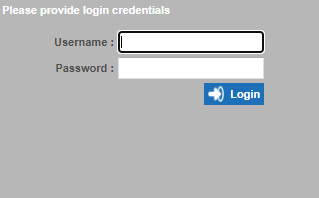
Valid credentials must be entered for login, as indicated in the Prerequisites section of this topic. Once logged in, the admin portal displayed a series of tabs, with various functions available on each tab. The remainder of this guide provides details on these tabs and functions.